
Managing Robots
A robot is an AI-generated crawler compiled to Rust for a specific host and country combination. Robots understand a site's navigation, product pages, and data structure.
Popular ecommerce sites already have production crawlers. When you create a robot for a covered site, you get instant access with no build wait.
Creating a robot
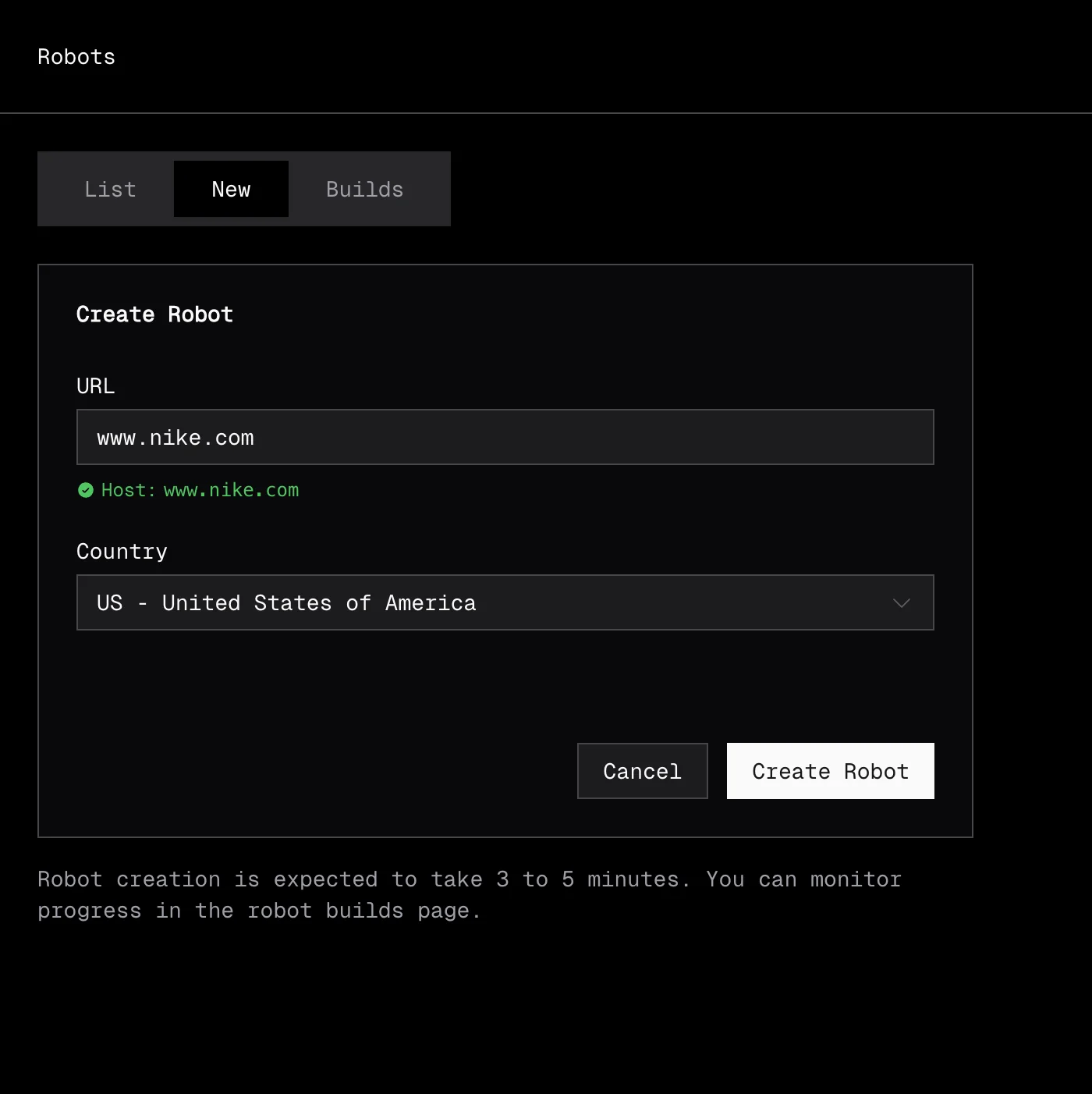
Creating a robot starts with a robot build. You provide a URL from the target site and a country code. Extralt's AI analyzes the site and compiles a crawler.
• Dashboard
Navigate to Extract > Robots and open the New tab. Enter a product URL from the target site and select a country, then start the build.
• API
export EXTRALT_API_KEY="your-api-key"

curl -s -X POST "https://api.extralt.com/v0/extract/robot-builds" \
  -H "Authorization: Bearer $EXTRALT_API_KEY" \
  -H "Content-Type: application/json" \
  -d '{
    "url": "https://example-store.com/products/sample",
    "country_code": "US"
  }' | jq
The response is { "id": "<id>" }. The status code tells you what kind of id was returned:
202 Accepted— a new build was started;idis the robot build ID. Poll it for status.200 OK— a robot already exists for this host and country;idis the existing robot ID. You can use it immediately.
Build lifecycle
Robot builds go through these stages:
| Status | Description |
|---|---|
pending | Build is queued |
building | AI is analyzing the site and generating the crawler |
completed | Build succeeded, robot is ready |
failed | Build could not complete |
stopped | Build was manually stopped |
Builds typically take 3-5 minutes. The AI needs to load pages, understand the site structure, and generate extraction logic.
Monitoring builds
• Dashboard
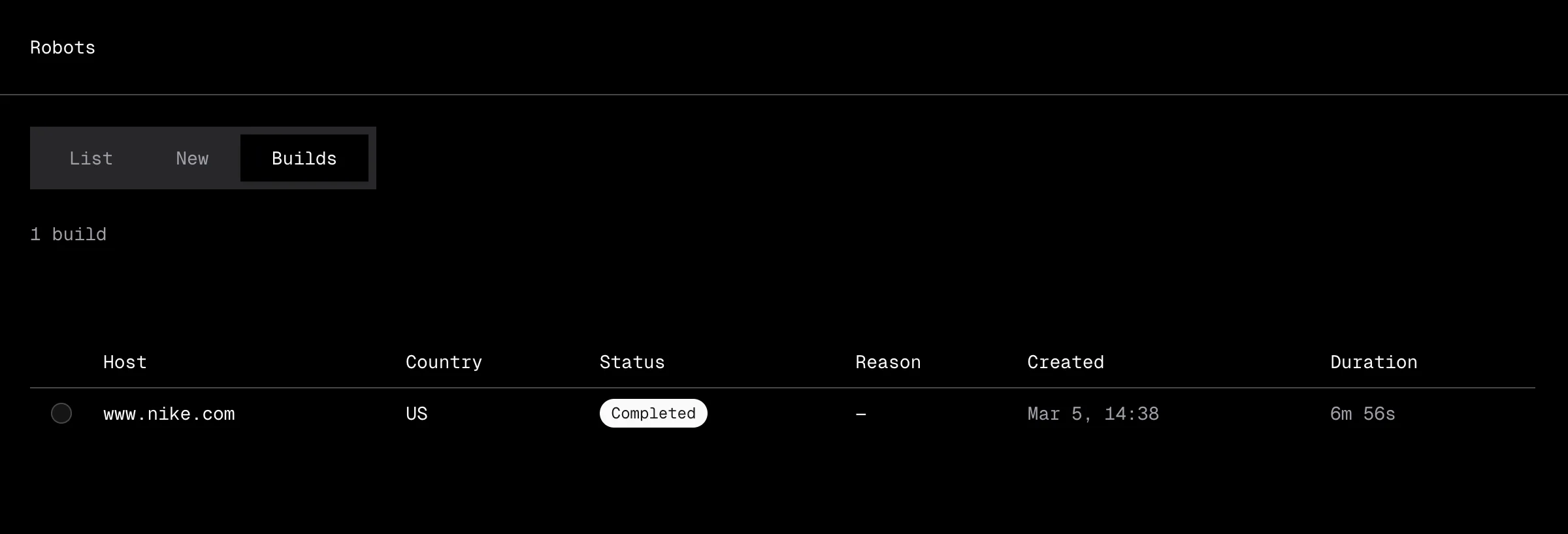
Open the Builds tab under Extract > Robots to track build progress. When a build completes, the robot appears in the List tab ready to use.
• API
Poll the build endpoint until it reaches a terminal status:
curl -s "https://api.extralt.com/v0/extract/robot-builds/$BUILD_ID" \
  -H "Authorization: Bearer $EXTRALT_API_KEY" | jq '.status'
When the build completes, the read response includes robotId — that's the robot you can now use to start runs.
Stopping or deleting a build
Use these endpoints to cancel a build in progress, or to remove a build record after the fact.
# Stop a build in progress
curl -s -X POST "https://api.extralt.com/v0/extract/robot-builds/$BUILD_ID/stop" \
  -H "Authorization: Bearer $EXTRALT_API_KEY"

# Delete a build record
curl -s -X DELETE "https://api.extralt.com/v0/extract/robot-builds/$BUILD_ID" \
  -H "Authorization: Bearer $EXTRALT_API_KEY"
Both endpoints return 204 No Content on success.
Managing robots
• Dashboard
The List tab under Extract > Robots shows all your robots in a sortable table.
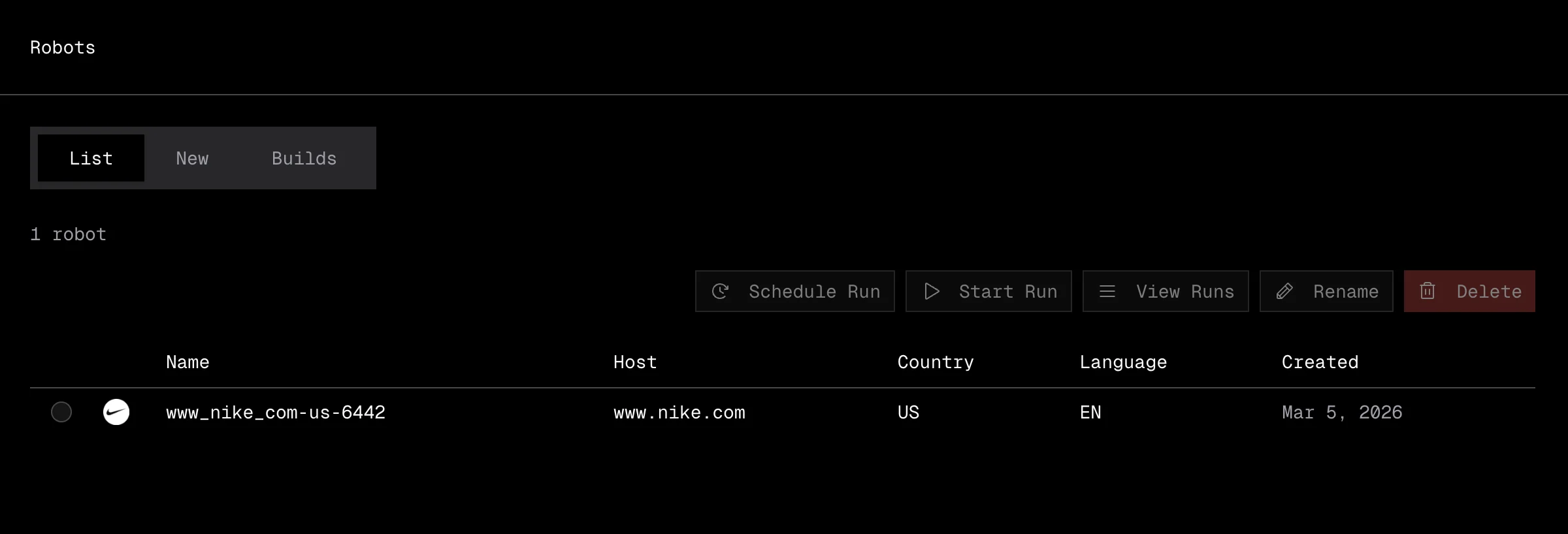
The table displays:
| Column | Description |
|---|---|
| Name | Robot name (editable) |
| Host | The domain the robot crawls, shown with a favicon |
| Country | Country context for the extraction |
| Language | Language detected on the site |
| Created | When the robot was built |
Actions available for each robot:
- Start Run: jump directly to creating a new run with this robot.
- Rename: change the robot's display name.
- Delete: remove the robot permanently.
• API
List robots — GET /v0/extract/robots.
curl -s "https://api.extralt.com/v0/extract/robots" \
  -H "Authorization: Bearer $EXTRALT_API_KEY" | jq
Rename a robot — PATCH /v0/extract/robots/{id} with { "name": "..." }. Returns 204 No Content.
curl -s -X PATCH "https://api.extralt.com/v0/extract/robots/$ROBOT_ID" \
  -H "Authorization: Bearer $EXTRALT_API_KEY" \
  -H "Content-Type: application/json" \
  -d '{ "name": "My Robot" }'
Delete a robot — DELETE /v0/extract/robots/{id}. Returns 204 No Content.
curl -s -X DELETE "https://api.extralt.com/v0/extract/robots/$ROBOT_ID" \
  -H "Authorization: Bearer $EXTRALT_API_KEY"
Robot details
Each robot is unique to a host + country combination:
- Host: The domain the robot can crawl (e.g.,
example-store.com) - Country: The country context for the extraction (affects language, pricing, availability)
Robots are reusable. Once built, you can create multiple runs with the same robot.
Rebuilding a robot
Extralt continuously monitors extraction quality across its crawler library. When a site changes significantly, the platform detects the change and rebuilds the crawler automatically. You can also trigger a manual rebuild from the dashboard or API if needed.
Using robots with schedules
Once you have a robot, you can create runs manually or set up a schedule for recurring extractions on a cadence (hourly, daily, weekly, or monthly).
See Schedules to automate extractions.