
Quickstart
This guide walks through one complete extraction: create a Robot, wait for it to become runnable, start a Run, and inspect the resulting Captures. Every step includes the dashboard workflow and its API equivalent.
Prerequisites
- Create an account at extralt.com
- Create an organization
- Use Start's 3,000 free credits, or subscribe to Scale for custom crawlers and monthly credits
- Generate an API key from the dashboard (needed for API usage)
See Account Setup for detailed instructions. To
follow the API steps in code, install an SDK and
set EXTRALT_API_KEY; cURL works as well.
pip install extraltCreate a Robot
A Robot is the stable extraction resource for one host and country. Extralt builds and validates its internal crawler and scraper, then reuses the same Robot for later Runs.
• Dashboard: go to Extract > Robots > New, enter the target storefront's homepage URL, select a country, and choose Create. The dashboard opens the details page for the returned Robot so you can monitor its status.
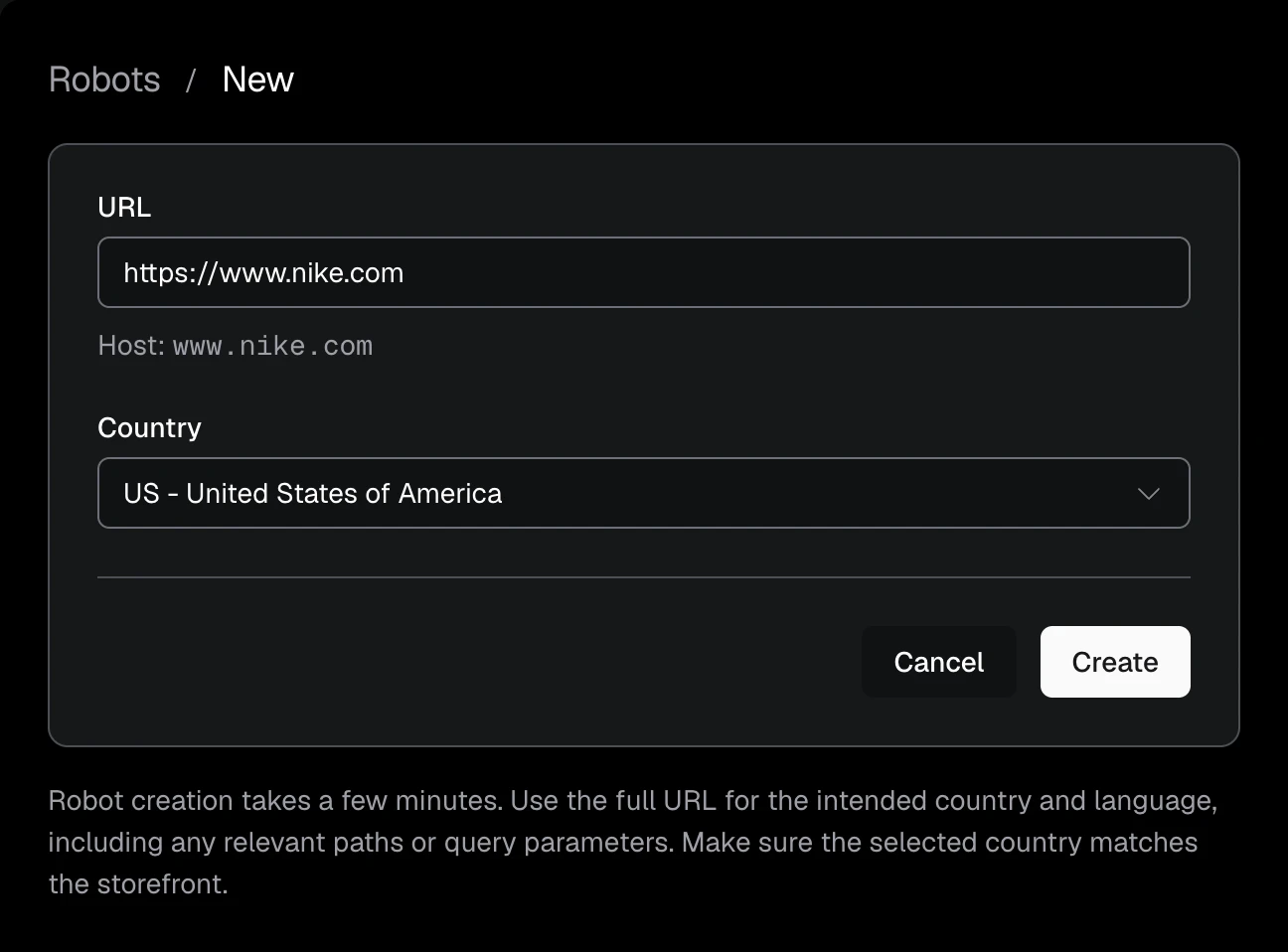
Use the homepage for the storefront you want to extract, and select the matching country.
• API:
export EXTRALT_API_KEY="your-api-key"

curl -s -X POST "https://api.extralt.com/v1/extract/robots" \
  -H "Authorization: Bearer $EXTRALT_API_KEY" \
  -H "Idempotency-Key: quickstart-robot-1" \
  -H "Content-Type: application/json" \
  -d '{
    "url": "https://example-store.com",
    "country": "US"
  }' | jq
The response is the Robot, including its stable ID and build status. 202 Accepted means
the Robot was created and its build was queued. 201 Created means the Robot
was created and is already completed, because Extralt had built the same store
for that country and page language before. 200 OK means that Robot already
existed. In every case, id identifies the same Robot lifecycle.
The SDK call returns once the Robot is built, so it can take a few minutes for a new store.
For the following cURL examples, copy that ID into an environment variable:
export ROBOT_ID="<robot-id>"For a compatible covered source, the response can return an existing Robot immediately. Otherwise, Extralt analyzes the source, generates extraction logic, validates it, and compiles it. Build time varies with the source and validation work required.
Wait for the Robot
• Dashboard: after creation, the Robot details page shows its live status.
When the status is completed, the Robot becomes available in Run and Schedule
selectors.
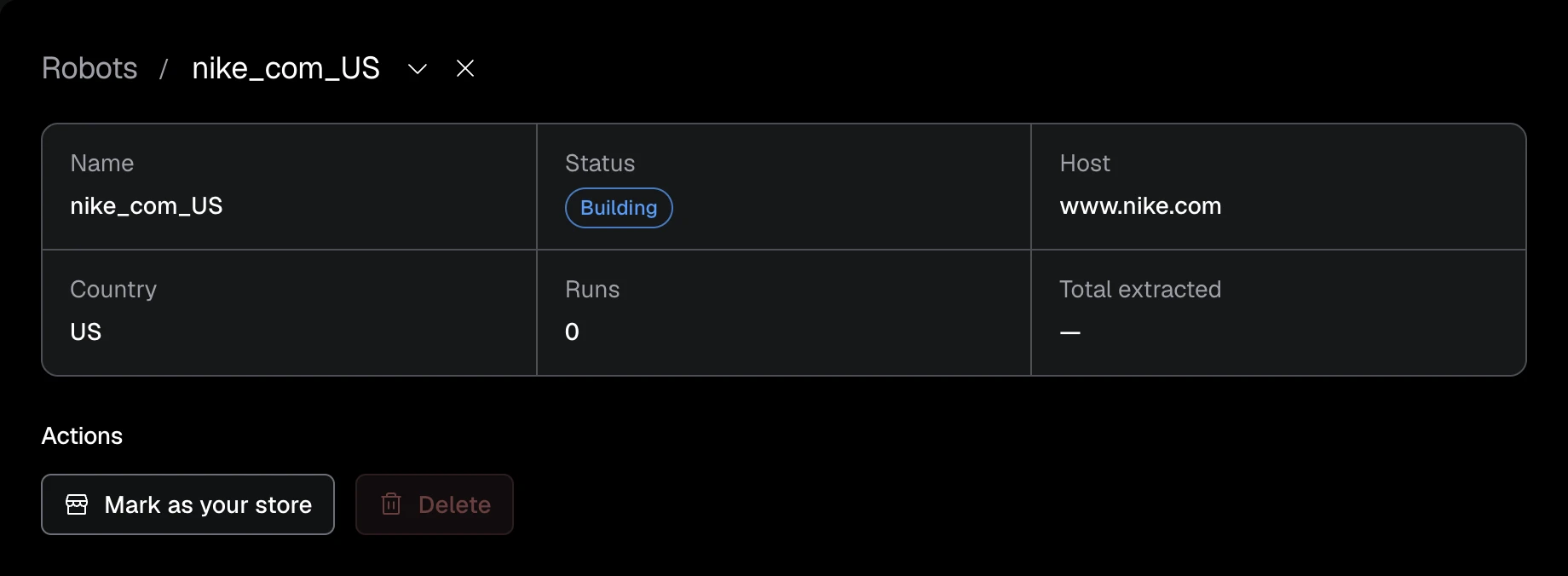
• API: the SDKs have already waited: create returned the built Robot, and
would have raised JobFailedError if the build had failed. With cURL, read the
Robot until its status is final.
curl -s "https://api.extralt.com/v1/extract/robots/$ROBOT_ID" \
  -H "Authorization: Bearer $EXTRALT_API_KEY" | jq '.status'
The ID does not change while the Robot builds. Use it to start Runs once the
status is completed.
Start a Run
A Run uses a completed Robot to crawl pages and produce Captures.
• Dashboard: select New Run on a completed Robot's page, or go to Extract > Runs > New. The selector shows only completed Robots. Enter optional start URLs and a crawl budget, then choose Start. The dashboard opens the new Run's details page.
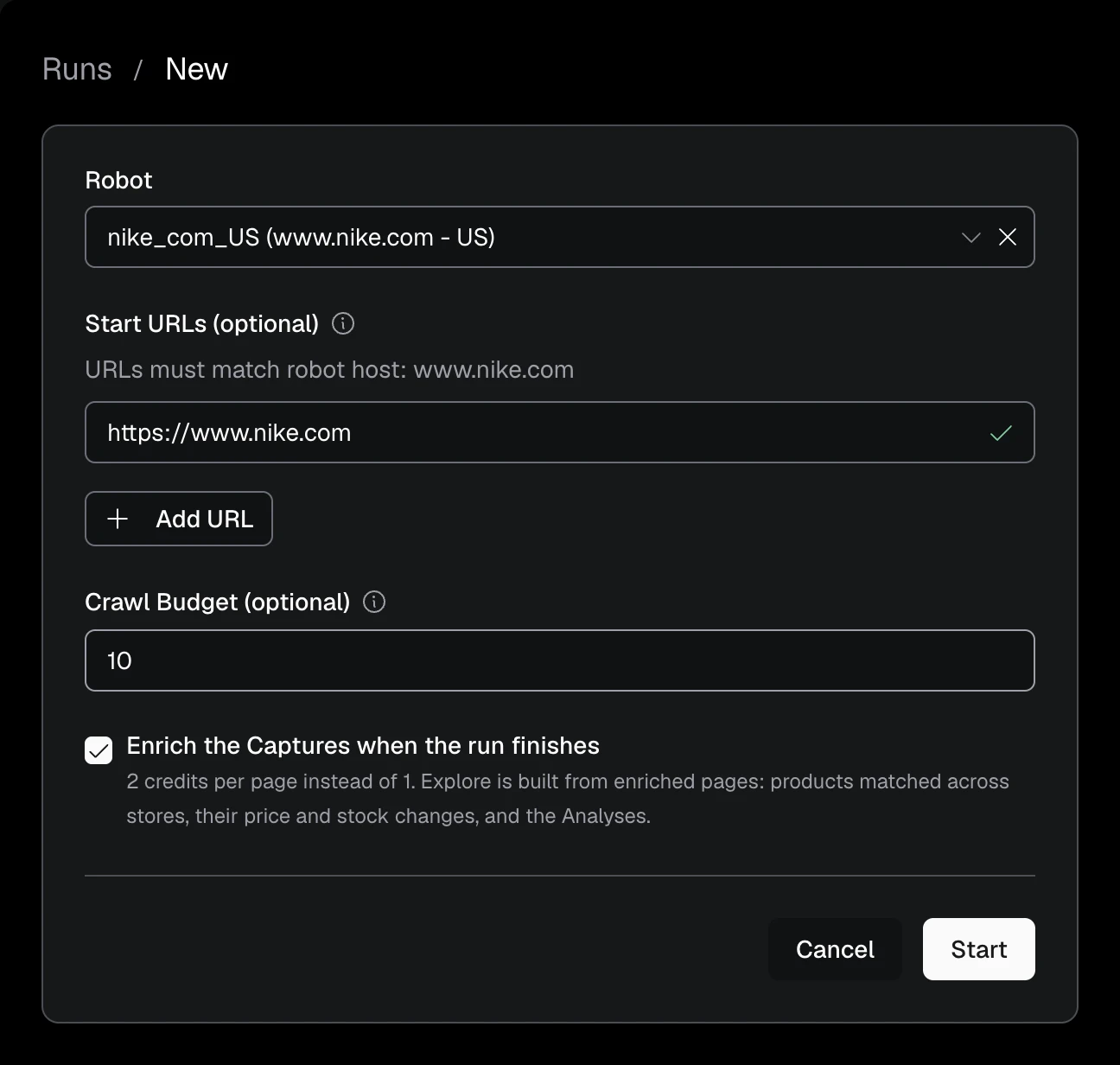
• API:
curl -s -X POST "https://api.extralt.com/v1/extract/runs" \
  -H "Authorization: Bearer $EXTRALT_API_KEY" \
  -H "Idempotency-Key: quickstart-run-1" \
  -H "Content-Type: application/json" \
  -d '{
    "robot_id": "'$ROBOT_ID'",
    "budget": 10
  }' | jq
The Robot starts from its own default URLs. budget is the most Captures the
Run may produce.
The response is 202 Accepted with the new Run in pending status. It
receives the next name in the Robot's sequence, such as nike_com_US_1. The SDK
call waits for the Run and returns it finished.
For the following cURL examples, copy the returned Run ID as well:
export RUN_ID="<run-id>"View your captures
Once the run completes, your extracted data is ready.
• Dashboard: go to Extract > Captures > List, open Filters, choose your Run under Source, and select Apply. Click a row to inspect its product data. Use Export to download matching Captures as JSONL; the API also supports Parquet.
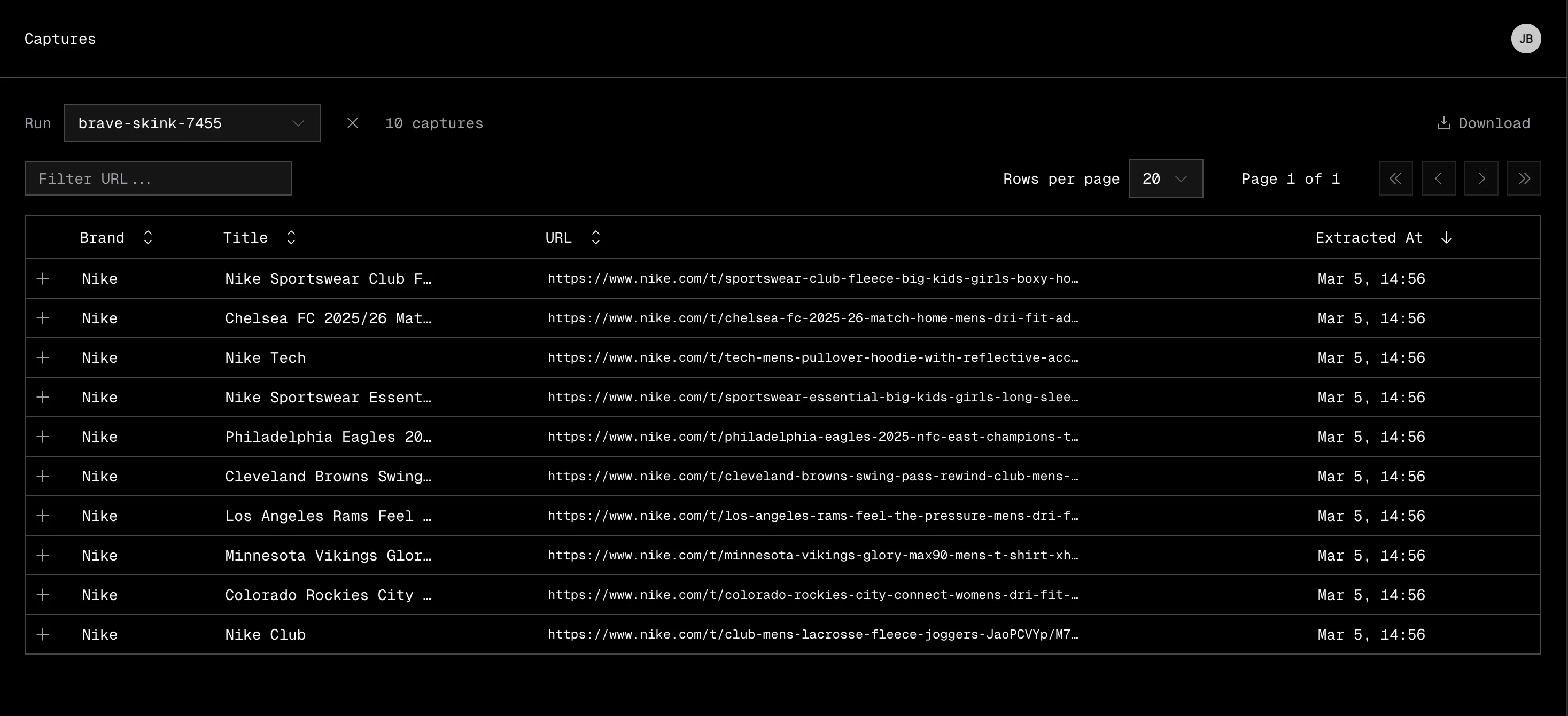
• API:
curl -s "https://api.extralt.com/v1/extract/captures?run_id=$RUN_ID" \
  -H "Authorization: Bearer $EXTRALT_API_KEY" | jq
Want to automate recurring extractions? Check out Schedules to run extractions on a cadence.
For the complete Robot and Run lifecycle, see Extracting data.
Continue through the pipeline
After the Run completes, you can:
- start an Enrichment to create normalized Items;
- inspect the data model and its source lineage;
- use Explore once Enrich has published relationships;
- ask the dashboard Agent to inspect operations, run an Analysis, ask a custom product-data question, or prepare the next operation for approval.