
Enriching Captures
Enrich turns Captures from one Extract Run into normalized product data you can compare across stores. Each successfully enriched Capture produces one normalized Item and the associated analytics data for Explore, including connected products, variants, listings, and offers.
Before you start
You need an Extract Run with Captures. Choose an Enrichment budget to set the maximum number of Captures to process. Enrich costs 1 credit per successfully enriched Capture. The Item, cross-store matching, and resulting analytics data are all included in that credit. Failed enrichment attempts use no credits.
Matching quality depends on the identifiers, options, and product evidence available in the source Captures. Enrich does not assume that every product can be matched across stores.
Start an Enrichment
Dashboard: open Enrich > Enrichments > New. Choose Extract Run under
Source type, select the completed Run, and set Enrich Budget to limit
how many Captures are processed. Choose Start to begin. You can also choose
a completed Import as the source, or enable auto_enrich when creating an
Extract Run.
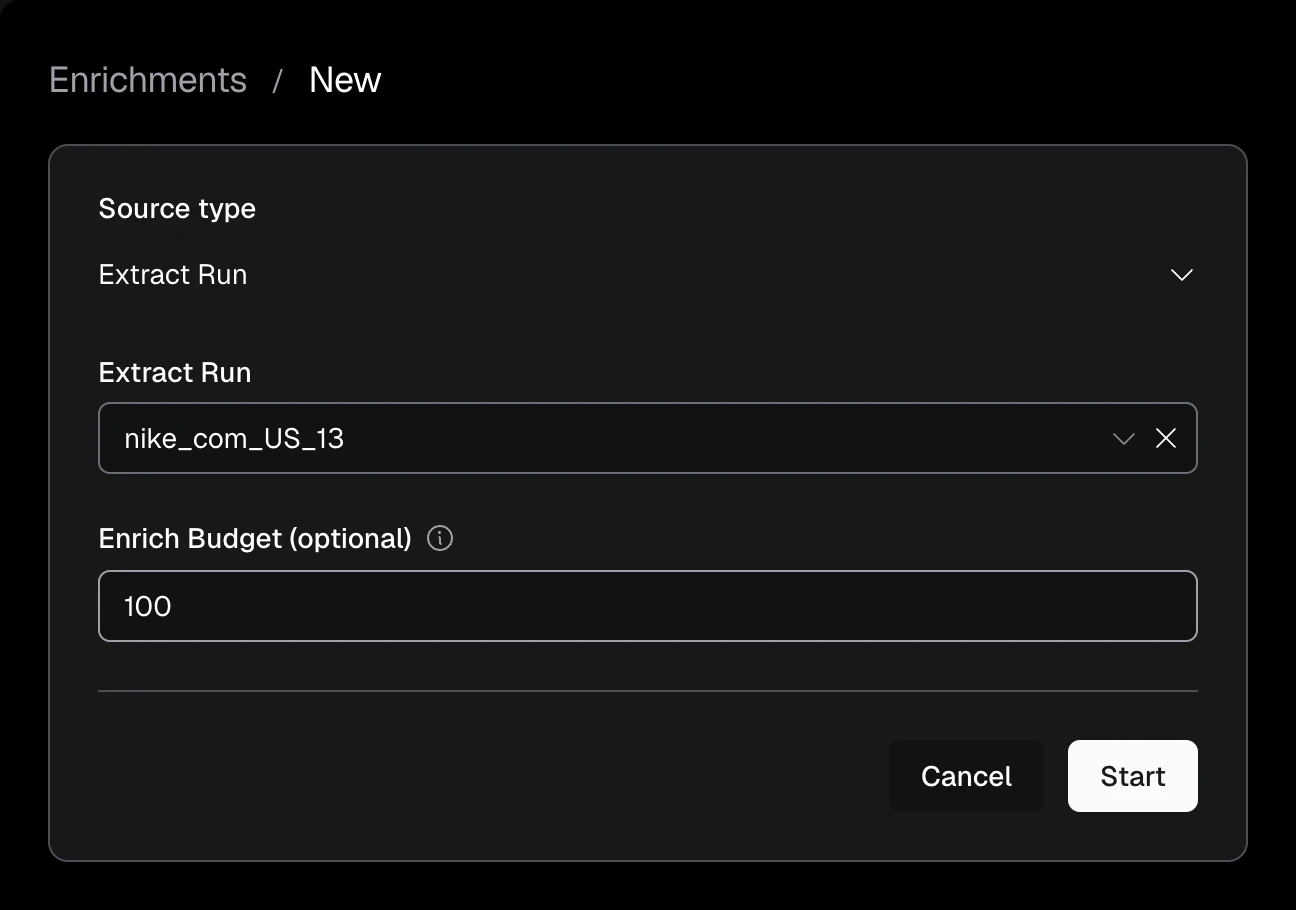
Choose a completed source with data to enrich. A budget of 100 processes up to 100 Captures.
API:
curl -s -X POST "https://api.extralt.com/v1/enrich/enrichments" \
  -H "Authorization: Bearer $EXTRALT_API_KEY" \
  -H "Idempotency-Key: enrichment-create-example-1" \
  -H "Content-Type: application/json" \
  -d '{
    "source": { "kind": "run", "id": "your-run-id" },
    "budget": 100
  }' | jq
To find the Enrichment that auto_enrich started for a Run, list Enrichments
filtered by the Run's ID:
curl -s "https://api.extralt.com/v1/enrich/enrichments?source_id=your-run-id" \
  -H "Authorization: Bearer $EXTRALT_API_KEY" | jq
Use the generated OpenAPI document as the source of truth for the current request and response schema.
Monitor and stop work
The Enrichments list shows Name, Source, Status, Reason,
Items (out of the budget, when the Enrichment has one), Started, and
Duration. Select an active Enrichment to open its details and choose
Stop, or stop it through the API.
Stopping prevents additional Captures from being processed or charged. Results
already produced remain available, and the Enrichment may stay active briefly
before its status becomes stopped.
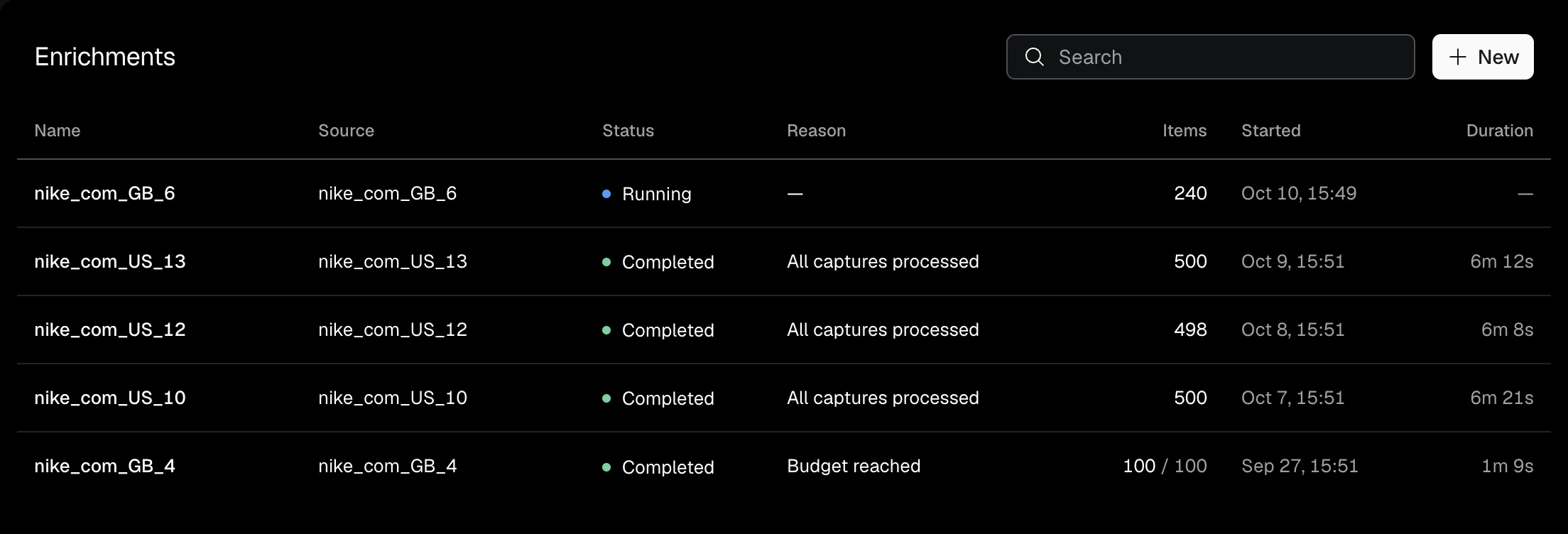
Select an Enrichment to open its details, then choose View Items.
Use the results
Inspect normalized Items
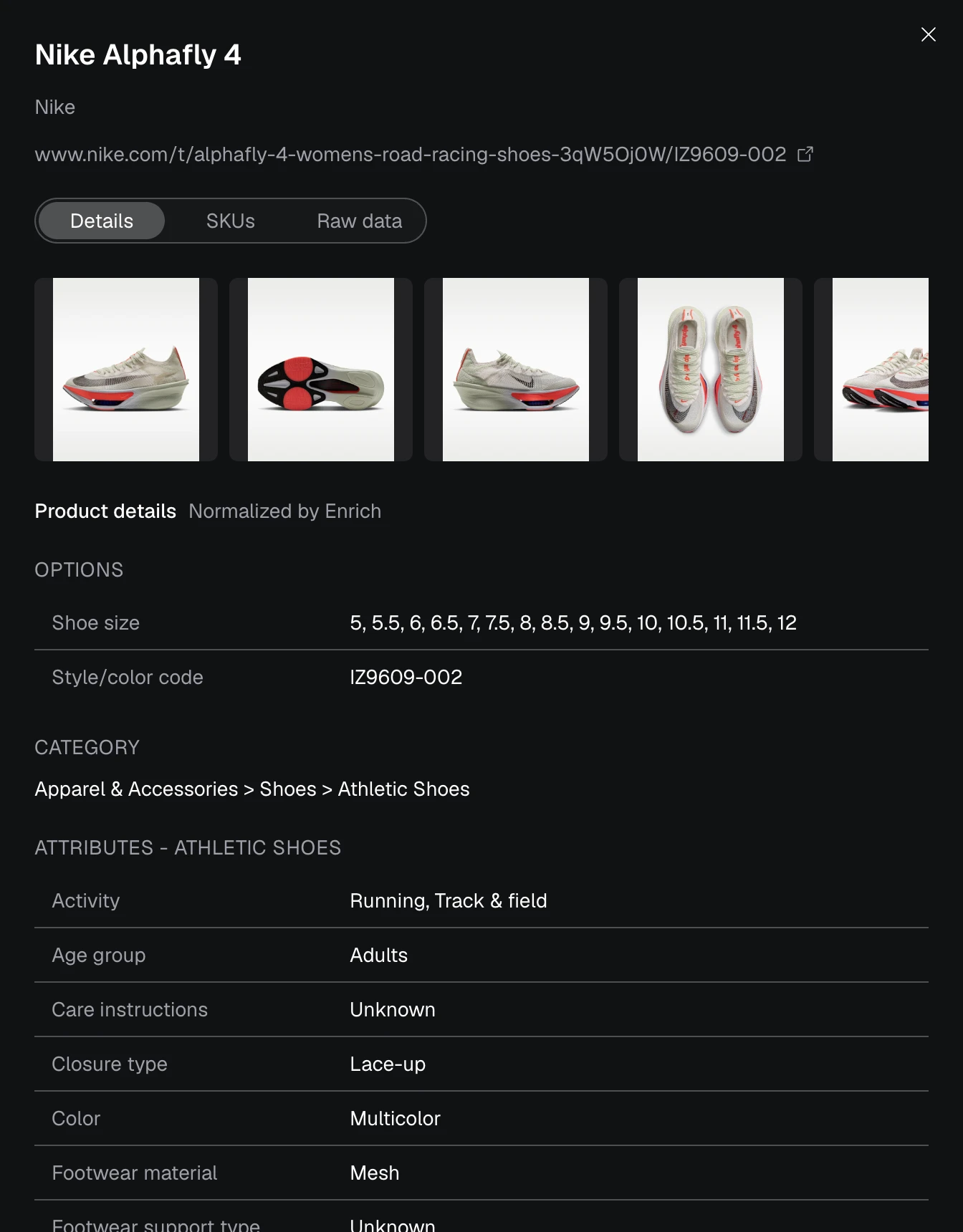
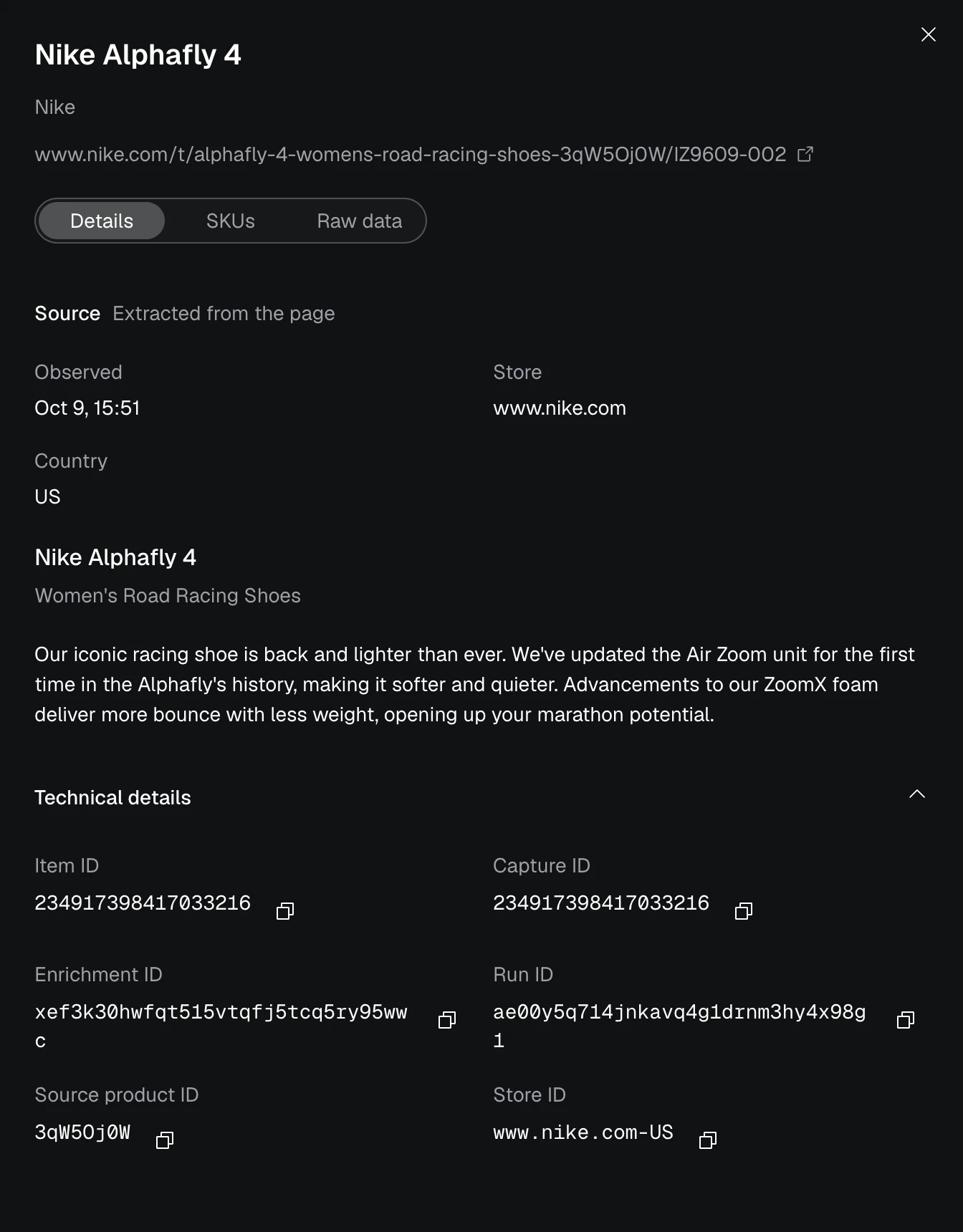
Browse Items under Enrich > Items. The list covers the last 90 days; choose an Enrichment under Filters to list all of its Items, whatever their age. The detail view preserves Capture, Run, source URL, and observation lineage.
Use Source page to open the original product URL. Scroll to Source for the original page content and observation time, then expand Technical details to find the Capture, Run, and Enrichment IDs.
The API supports paginated Item listing and Item detail. See the OpenAPI document for current filters and response fields.
Export Items
To download every Item of an Enrichment as one file, use the export endpoint.
The format query parameter accepts parquet (default) or jsonl.
curl -sL "https://api.extralt.com/v1/enrich/items/export" \
  --url-query "enrichment_id=$ENRICHMENT_ID" --url-query format=parquet \
  -H "Authorization: Bearer $EXTRALT_API_KEY" \
  -o items.parquet
Compare products across stores
When the Enrichment finishes, use Explore to inspect matched product and variant relationships, current offers, and observed changes across stores. Start with Exploring data for the available dashboard and data-access paths.
What Enrich produces
An Item contains normalized product content, taxonomy ids and path, attributes, signals, image text, option axes, selected media, source SKUs and identifiers, review aggregates, country, Store key, source URL, and processing lineage.
Explore uses the Products, Variants, Listings, Offers, Reviews, Stores, and Changes produced by the same Enrichment. See the semantic catalog for their field semantics.