
AI
AI answers a question the other Explore pages don't, with a table of rows. The Agent can ask it for you inside a chat and show the SQL it ran.
AI comes with Scale. Start doesn't have it, and it stops during the read-only grace period after a Scale subscription ends; renew Scale to use it again. The rest of Explore, the API and MCP stay available. See Credits and billing.
Ask a question
Open Explore > AI and type a question of up to 500 characters, or pick a suggestion. To ask about PDPs, use the AI tab of Extract > PDPs, where you can choose all PDPs, one Run, or one Import.
You do not choose tables. Extralt loads the connected data model, generates one read-only SQL query, runs it, and shows its progress as Generate and Fetch, then the rows. Each question and its result keep their own URL, which anyone in your organization can reopen while it is on Scale; viewers can reopen results but not ask. Edit the question to ask it again differently, or clear it to start over.
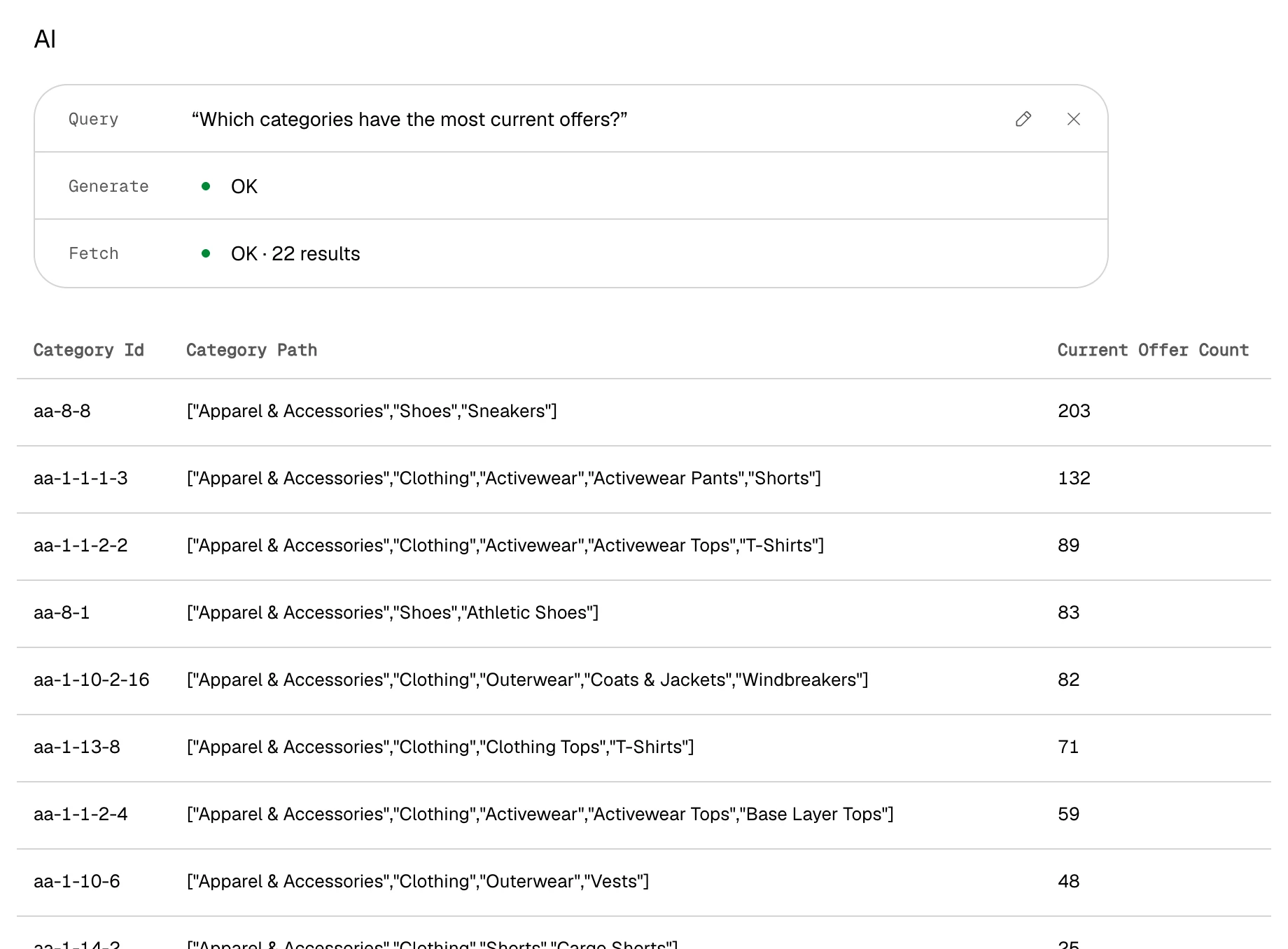
To see the SQL behind an answer, ask the Agent: its Query Product Data step shows the SQL it ran.
What AI can query
The two AI pages answer different questions, each from its own data. Ask a question where its subject is.
Explore > AI is about your products and market: what they are now and how they changed. It reads the model built from your reads: your Stores, Listings, SKUs, offers and current offers, Changes, Products and Variants, with the ratings each read found and each Listing's latest, the checks that found pages removed, and the URLs, store product ids, and Import ids that reached each Listing. It carries the definitions of current state, such as active Listings and current offers, so a question does not redefine them. The semantic catalog and query semantics describe them.
The AI tab of Extract > PDPs is about your reads: what each one recorded, as of that read. It reads the PDPs, with their Stores: each read's content, SKUs and offers as the page showed them, its rating, coverage, credits, and raw bodies, to check what a Run or Import extracted and what it cost. A PDPs question reads only the PDPs of the source you chose; that scope is enforced on every read, whatever the generated query says.
An Explore row names the PDP that observed it, so you can find the read behind a Change or an offer when you want to inspect its evidence.
Results
A result holds at most 100 rows or 512 KB of rows, whichever comes first, and is not pageable. When a result is cut by either limit, the page says first 100 shown: narrow the question rather than paging. A query is read-only, sees only your organization's data, and stops if it runs too long.
Use an Analysis when one answers the question: its definition and eligibility are fixed, while AI's query is written for each question.
Ask precise questions
Use the product's terms for the grain you mean:
- PDP for one page a Run read or one record an Import read;
- Listing for one store product page in one Store;
- SKU for one configuration a Listing's page lists;
- offer for one seller's price and availability of a SKU;
- Product for a product family, and Variant for one exact configuration matched across Stores.
For example:
- "Which PDPs in this Run have no brand?"
- "Show the current available offer count and median price by Store and currency."
Your data holds observed product evidence, so AI can't answer with sales, demand, traffic, margin or market share: none of them is in it.