
PDPs
A PDP (product detail page) is one product page a Run read, or one record an Import read, once Extralt has extracted and enriched it. Every page or record is enriched as it is read, so a Run or Import produces its PDPs directly; there is no separate enrichment step to start.
Each PDP is one document, the record of its read as the read recorded it: the
product in the store's own words and where the store filed it, next to
Extralt's reading of them at that read, normalized so products compare across
stores; the product id and product group id the page stated; its rating; the
SKUs it listed, each with its sku_id, identifiers, options and the offers the
read listed; and its raw bodies, times and billing. A later read of the product
is another PDP, so an older PDP still shows what the page said at its read. The
page as it is now is its Listing's latest PDP, which latest=true returns, and
the store's edits in between are the Listing's content
Changes, with each edited field's values before and
after. The raw bodies are what the read was parsed from: the page, the item API
responses its crawler called, or the Import record, listed with
GET /v1/pdps/{id}/raw.
A page or record that cannot be enriched produces no PDP: it is neither stored nor charged.
Credits
A PDP costs 4 credits the first time your organization reads its Listing,
and 1 credit after that. A Listing is one store product in one Store,
whichever URL, product id or Import record reached it, so two URLs of the same
product page, or a Run's page and an Import's record of the same product, count
as one. The PDP's first_seen field says which price it was charged, and a
Run's or Import's new_pdps counts how many of its PDPs were first seen.
Listings, SKUs, offers, Changes, and cross-store matching come with the PDP: they use no further credits. See Credits and billing.
Browse PDPs
Dashboard
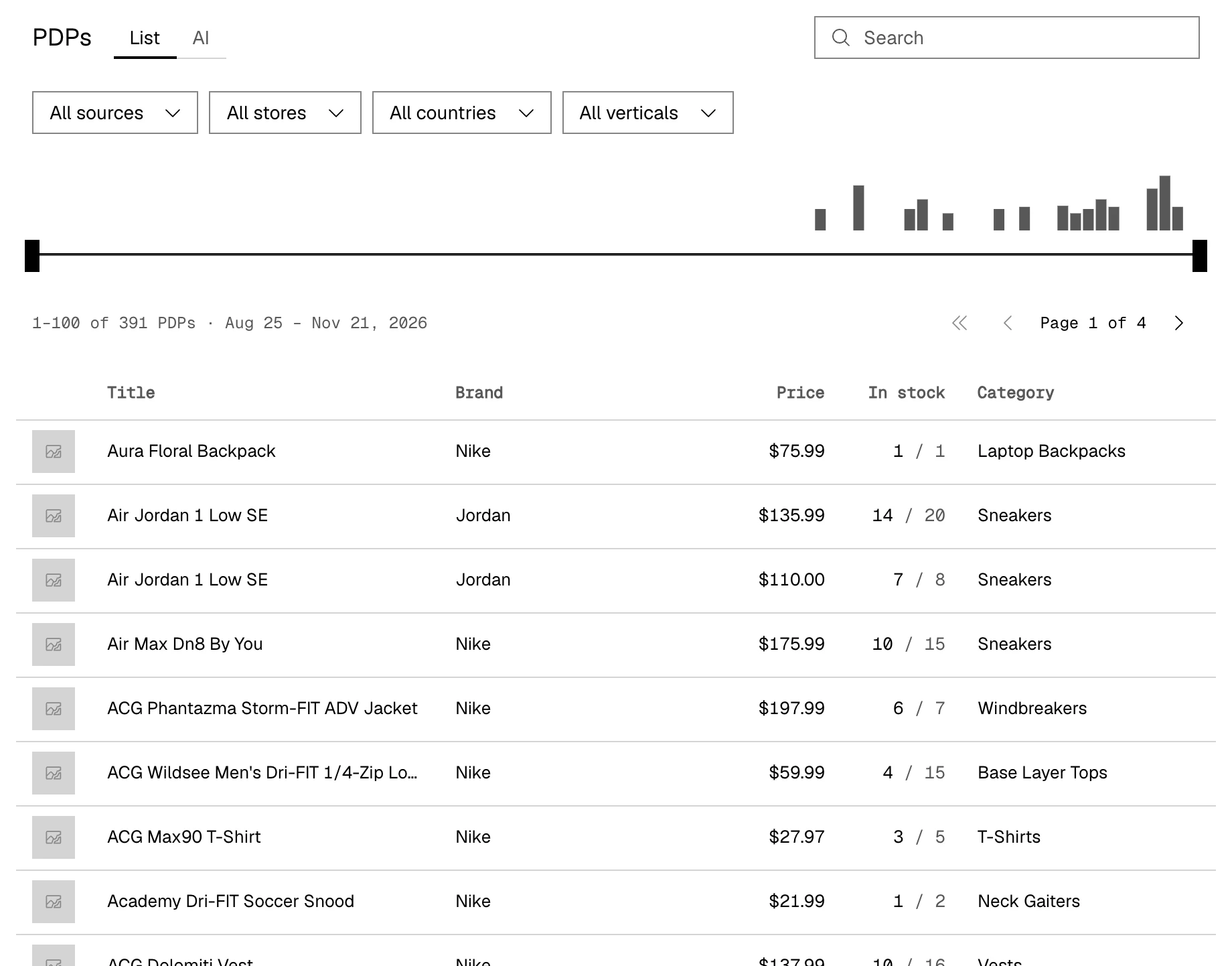
Open Extract > PDPs. The List tab lists the PDPs of the last 90 days (UTC). Choose a Run or Import under Source to list all of its PDPs, whatever their age.
Above the table, the Source, Store, Country and Vertical pickers filter the list as soon as you pick a value; the Store, Country and Vertical pickers offer the values the listed PDPs have. Clear filters resets them. The Search field at the top of the page finds PDPs matching your words. A chart above the table counts PDPs per day; drag its handles to narrow the period. The chart is hidden when a Run or Import is chosen, since its PDPs are listed whole.
The table shows each product's image, Title, Brand, Price, In stock, Category, Store, Source and Observed time.
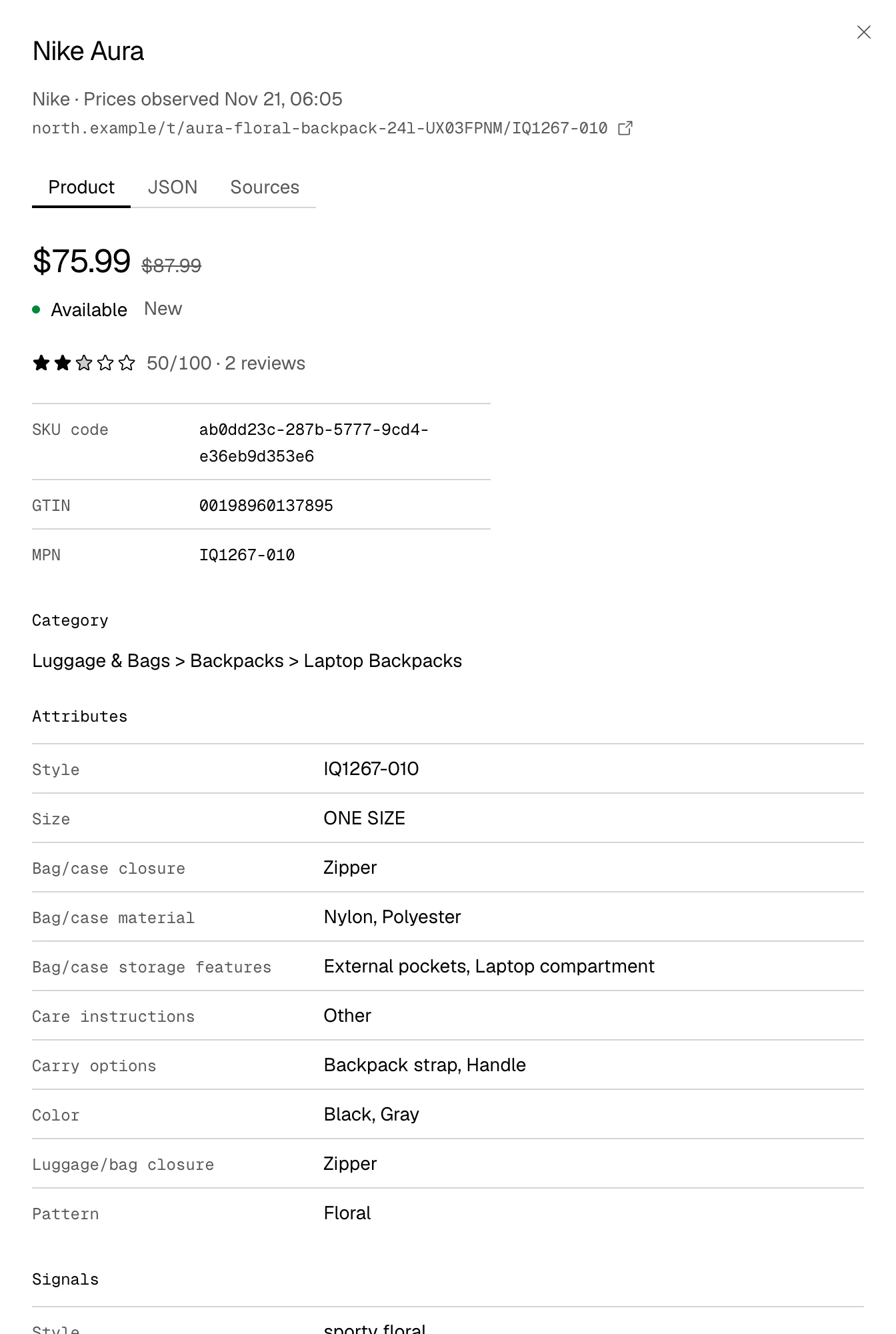
Select a row to open the PDP: Product shows it as a product page, with its IDs, Store, language, inference time and charge, JSON shows the document the API returns, and Sources lists the bodies it was read from.
AI
The AI tab answers a question about your PDPs in plain language: type it and the tab generates a query, runs it and shows the result, up to the first 100 rows. It is about what your reads recorded, as of each read: what a Run or Import extracted, its coverage, credits and raw bodies. Ask about your products and market as they are now, their offers and Changes, in Explore > AI. Choose a Run or Import in its source picker to ask about that source's PDPs only. The AI tab comes with Scale and is unavailable during the grace period after a subscription ends. See AI.
API
List the PDPs of a Run:
Pass import_id instead of run_id for an Import's PDPs, or neither for every
PDP of your organization. store_id keeps one Store's PDPs and listing_id one
Listing's, and latest=true keeps each Listing's latest PDP: the page as it is
now. PDPs are listed oldest first. The response is { data, next_cursor }, with
50 PDPs per page by default and at most 100; see
Common patterns for paging
with next_cursor. GET /v1/pdps/count takes the same filters and returns
{ count }; with latest=true, that is the number of Listings.
Read one PDP by its id:
Find a product by URL
A product page can have several URLs: aliases, redirects, or several URLs
showing one product. url keeps the PDPs of the Listings a URL reached: a
PDP's own URL, a URL its Run requested or landed on, or one it was redirected
from. With latest=true, it returns the page as it is now:
The host's case, a trailing slash and the fragment don't matter. When a URL
reached none of your Listings, it is tried again without its query, so tracking
parameters don't break a lookup. One URL can reach a Listing in several of your
Stores, one per country: the lookup returns the latest PDP for each, or pass
store_id for one.
PDP fields
For how PDPs relate to Listings, SKUs, offers and Products, see the semantic catalog.
The store's words
The page's content as the read stated it, and where the store filed the product at the read:
Extralt's reading
Extralt's reading of the page as the read had it, inferred at inferred_at,
and the page's rating:
SKUs
skus lists every SKU the read listed, in page order, priced or not, as the
read stated it. A SKU is one configuration of the Listing, and its offers are
those this read listed.
Each offer has these fields:
A price the source states in minor units without their scale cannot be
resolved, so its offer is left out rather than guessed. An absent fact is
unknown, not zero. An offer the page states is out of stock may show no price:
it is kept, unavailable, with a null price, so a page sold out without
prices is a PDP that records the stock-out.
Raw bodies
GET /v1/pdps/{id}/raw lists the bodies a PDP was read from, without their
text: page for the page as fetched, each item API response by its name (such
as product-availability), or record for an Import. Each lists its kind,
size in bytes, fetched_at time, and whether it was reused from an earlier
crawl instead of fetched for this PDP, as a refresh does with the page.
Read one body by its name:
The response holds the body's name, kind (html, json, or text), and
its text as body.
Export PDPs
An export is one file of every PDP of one Run or Import. JSONL is plain JSON Lines, one PDP document per line, uncompressed; Parquet keeps column types and suits DuckDB, pandas and data pipelines. A JSONL export can be imported again as is.
Dashboard
- On Extract > PDPs, choose a Run or Import under Source, then select Export. The file holds every PDP of that Run or Import, as JSONL. The Store, Country and Vertical pickers, the search and the chart's dates don't narrow it. Export appears only once a Run or Import is chosen.
- On a Run's page, Download As offers Parquet or JSONL, for a completed Run or a failed one that saved PDPs.
- On an Import's page, Download As offers the same, once the Import has finished with PDPs.
Dashboard exports leave out the raw bodies.
API
GET /v1/pdps/export streams the PDPs a Run or Import has saved so far as
one file named pdps-<id>.parquet or pdps-<id>.jsonl, in no particular
order: sort by id to order them by time.
Compare products across stores
While a Run or Import saves its PDPs, their Listings, SKUs, offers, and Changes
are written for Explore in steps, and are complete when it ends. Their SKUs are
then matched to Products and exact Variants across your organization's Stores.
Until a SKU is matched, cross-store
answers leave it out and count it in unmatched_sku_count. Matching depends on
the identifiers, options, and product evidence the pages show, so not every
product can be matched. See Products.