
Stores
A Store is your organization's record of one store's website in one
country, such as north.example-US. Its crawler reads the store's product
pages, and its Listings, offers and Changes are your data about it. Once its
crawler is ready, Runs read it, started from the
dashboard, the API, MCP, the Agent or a Schedule.
A Store's id is its host and country, {host}-{COUNTRY}: the host in lower
case without a leading www., and the country's ISO code. The id never
changes, and every Run, PDP and Explore answer names the Store by it.
Add a Store
Dashboard
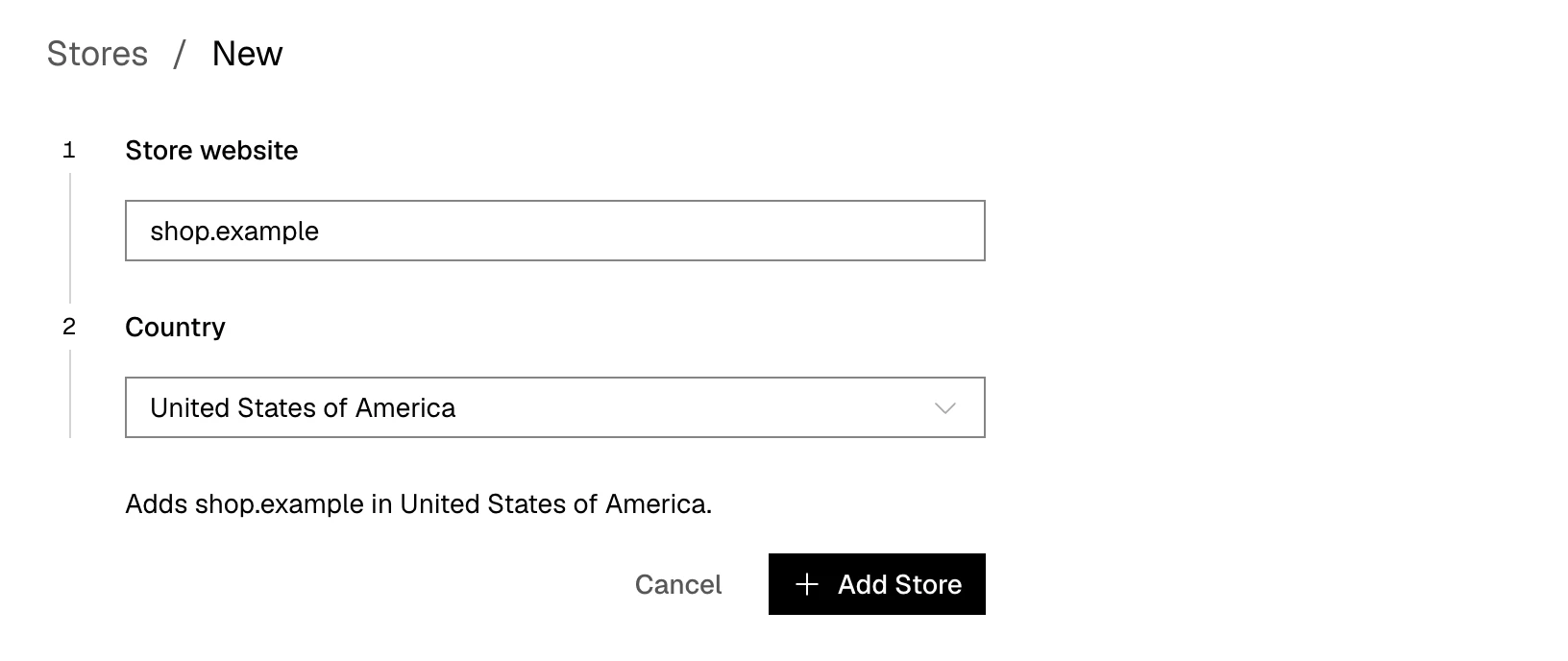
- Go to Extract > Stores and choose New.
- Enter the Store website: the store's address, or any of its pages.
- Choose the Country whose prices and stock you want.
- Choose Add Store.
The dashboard opens the Store's page. Adding a Store needs at least 1 credit, and uses none. On Start, the form reminds you which store platforms Start reads.
To open the form already filled in, add url and country to its address,
for example /dashboard/stores/new?url=shop.example&country=FR.
API
The response is the Store:
201 Created: a new Store. Extralt checks the store and gets its crawler ready.200 OK: your organization already had it, and it is returned as it is. A Store you untracked is tracked again, and one whose crawler isnoneorfailedis checked again from thisurl.
Without credits, adding a Store is refused with 402.
Its crawler
The crawler is what reads a store's pages. Extralt keeps one crawler per storefront (a host, a country and the page language), shared by every organization that reads it, so a store Extralt has read before is ready within seconds. Otherwise Extralt checks the store first, then builds one:
- for a store on Shopify, WooCommerce, Wix or Salesforce Composable Storefront, from Extralt's adapter for that platform, which takes a few seconds;
- for any other store, AI designs a crawler for it, validates it on live product pages and compiles it, which takes a few minutes. These custom crawlers come with Scale.
crawler.status says where it stands:
Follow a build from the dashboard, where the Store's page updates live, or
read the Store until crawler.status is ready or failed:
Instead of polling, subscribe a webhook to
store.ready and store.failed.
Refusals
The check reads the page you gave from the Store's country. It refuses a store
it can't read, with one of these refusal values:
A refusal never moves a Store: a page that lands on another host, such as
brand.com redirecting to brand.fr, is refused as redirected, and you add
brand.fr yourself. Only a leading www. and the path may differ.
In the dashboard, a refused Store's page shows Crawler not built with the reason and the next step: See plans, Add the other host, or Try again. A build that failed without a refusal offers Build crawler.
When a store changes
A crawler reads a store as its build left it. When the store changes its pages or navigation, a Run can read fewer products, or none:
- A product page that fails the quality check produces no PDP and is never billed.
- When most product pages fail, the Run fails with
Extraction quality too low. Why a Run ends lists every reason.
Each Run reports how well each part of the crawler read the store. When a part
keeps reading badly, Extralt rebuilds the storefront's crawler, and Runs switch
to the new one only once it reads better. A Run's failure doesn't change its
Store, which stays ready. If a Store's Runs keep failing, contact
support@extralt.com.
Manage Stores
Dashboard
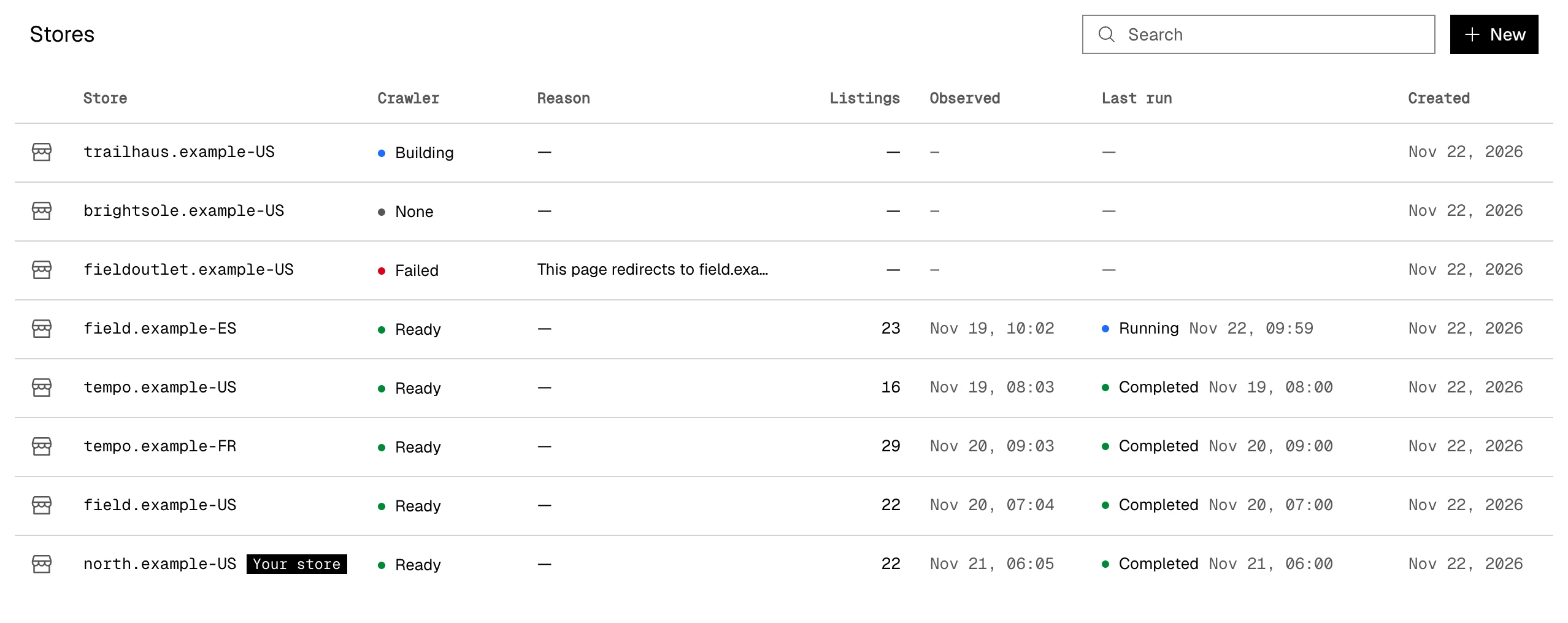
Extract > Stores lists your tracked Stores with their Crawler status, its Reason, the Listings they hold, when they were last Observed, their Last run and when they were Created. A Store you marked as yours shows Your store beside its id.
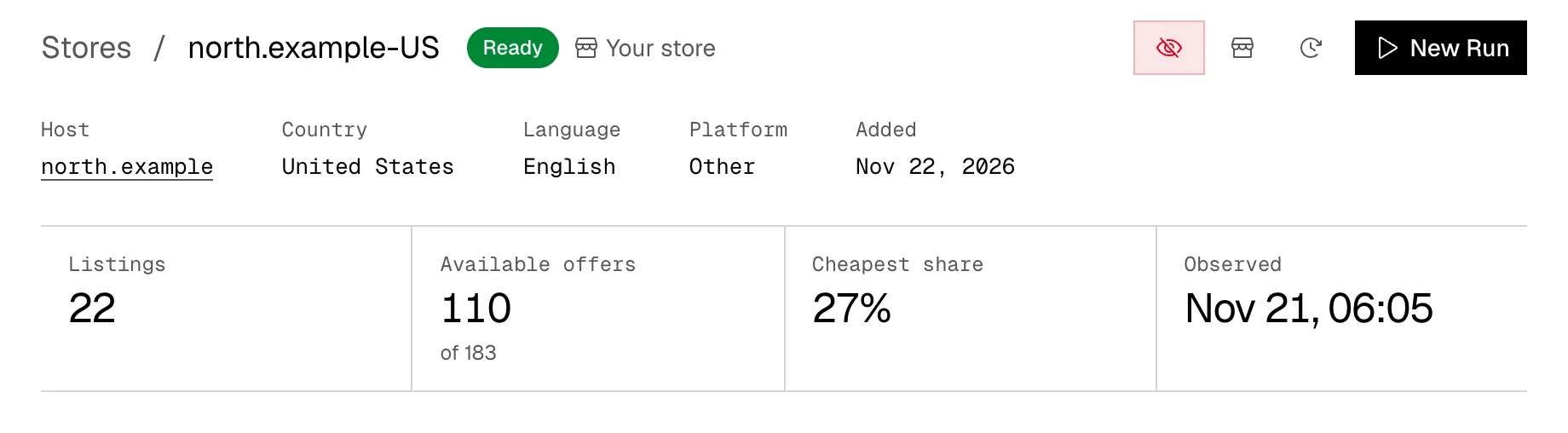
A Store's page shows its Host, Country, Language, Platform and when it was Added, then, once Runs have read it, its Listings, Available offers, Cheapest share and when it was last Observed. A Store whose crawler is ready also shows its Activity, the PDPs it saved each day over the last year, and its Runs and Schedules. Its actions:
API
A Store's state holds its current Listings and offers, when it was last
read and how often it is the cheapest: see
Overview. It is null before a first read.
max_staleness_days sets when its Listings count as
stale, 30 days by default.
Your own stores
An own store is a Store your organization sells through. Mark one with Mark
as your store on its page, with PATCH /v1/stores/{store_id}, or with
"own": true when you add it. An organization can mark up to 100.
The mark sets what Extralt compares from, and never changes your data:
- Overview lists your stores first, compares your store's prices with the market, and splits price cuts between yours and your competitors'.
- The Agent compares from your store in a country when you ask for a comparison without naming one.
- The Analyses let you pick any Store as Your store.
Untrack a Store
Untrack a Store you no longer collect with Untrack on its page, or
POST /v1/stores/{store_id}/untrack. It leaves the Stores list and its
Schedules are deleted. Its PDPs and Explore data stay, and so does its own
store mark. Adding the Store again, or Track again on its page, tracks it
again without rebuilding a ready crawler.
A Store can't be untracked while a Run or Import of it is unfinished, or while
its crawler is being built: the API answers 409.
Plans
On Start, Extralt reads stores on Shopify, WooCommerce, Wix and Salesforce
Composable Storefront. Any other store is refused with needs_scale. When
your organization upgrades to Scale, those Stores get their crawler on their
own, with nothing to add again. If a Scale subscription ends, Stores on a
custom crawler are refused with needs_scale until it is renewed. See
Credits and billing.