
Compare assortments
This workflow compares catalogs: which exact products your store and a competitor's both sell, which only one of them does, and what each store adds and removes over time.
The examples use two made-up US stores: north.example, your own, and
field.example.
1. Read whole stores
An assortment is only as complete as the reads behind it, so read each store whole: a Run with no scope, or with the store's home page as its only page.
Add the Stores first, as in Stores. To compare a single category instead, scope both stores' Runs to their category pages.
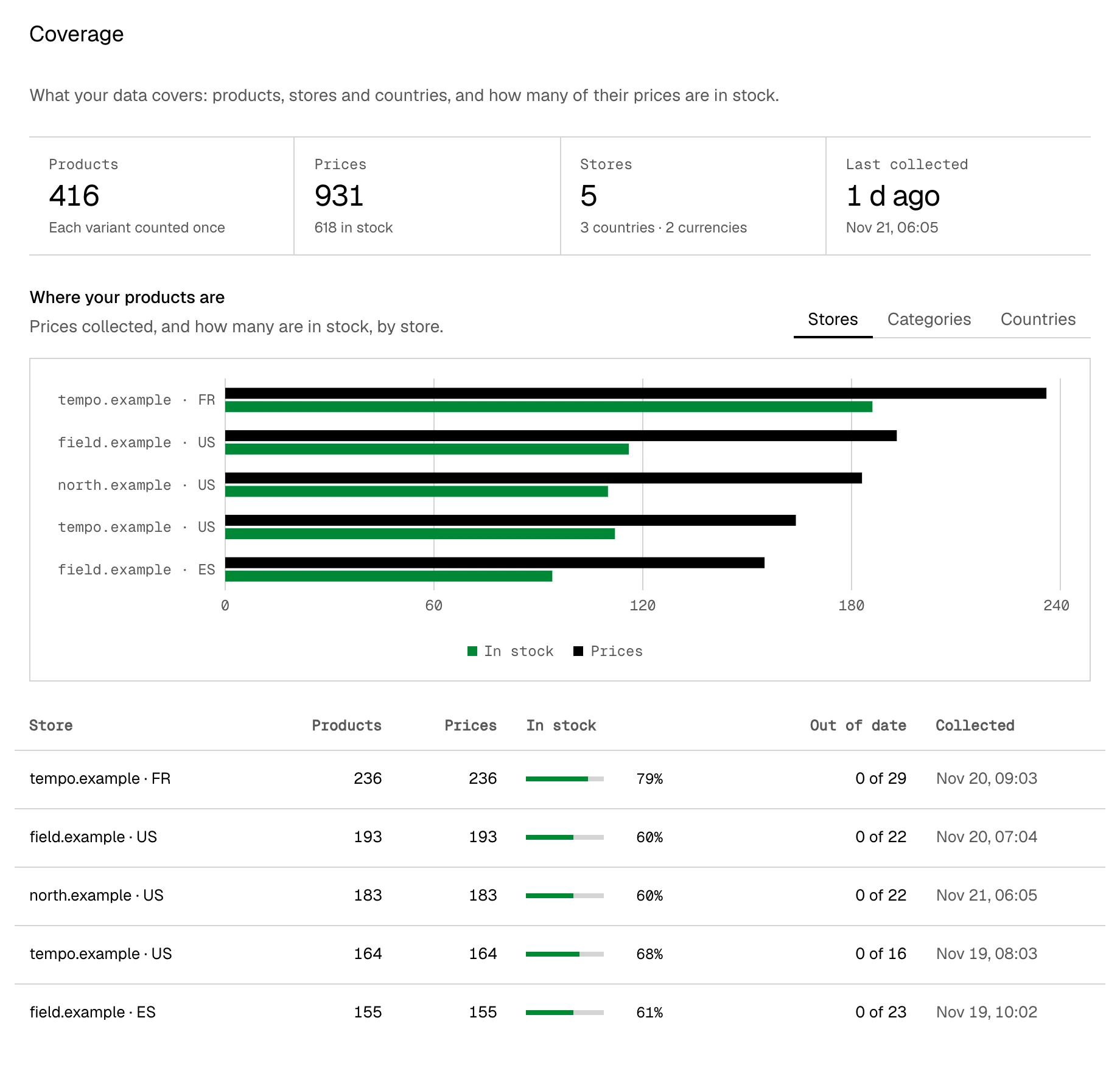
Explore > Coverage then shows what you hold for each Store, category and country, and how many of its Listings are out of date:
2. Compare two stores
Explore > Assortment overlap compares the exact Variants two Stores of one country sell: the ones Sold by both, the share of yours the other store also sells, the share of theirs you also sell, and the Overlap between them. Each row is one Variant, with its Listings at each store.
Narrow it with brand or category_id to compare one brand or one category.
Find a category's id with GET /v1/facets and a Store's with
GET /v1/search?kind=store.
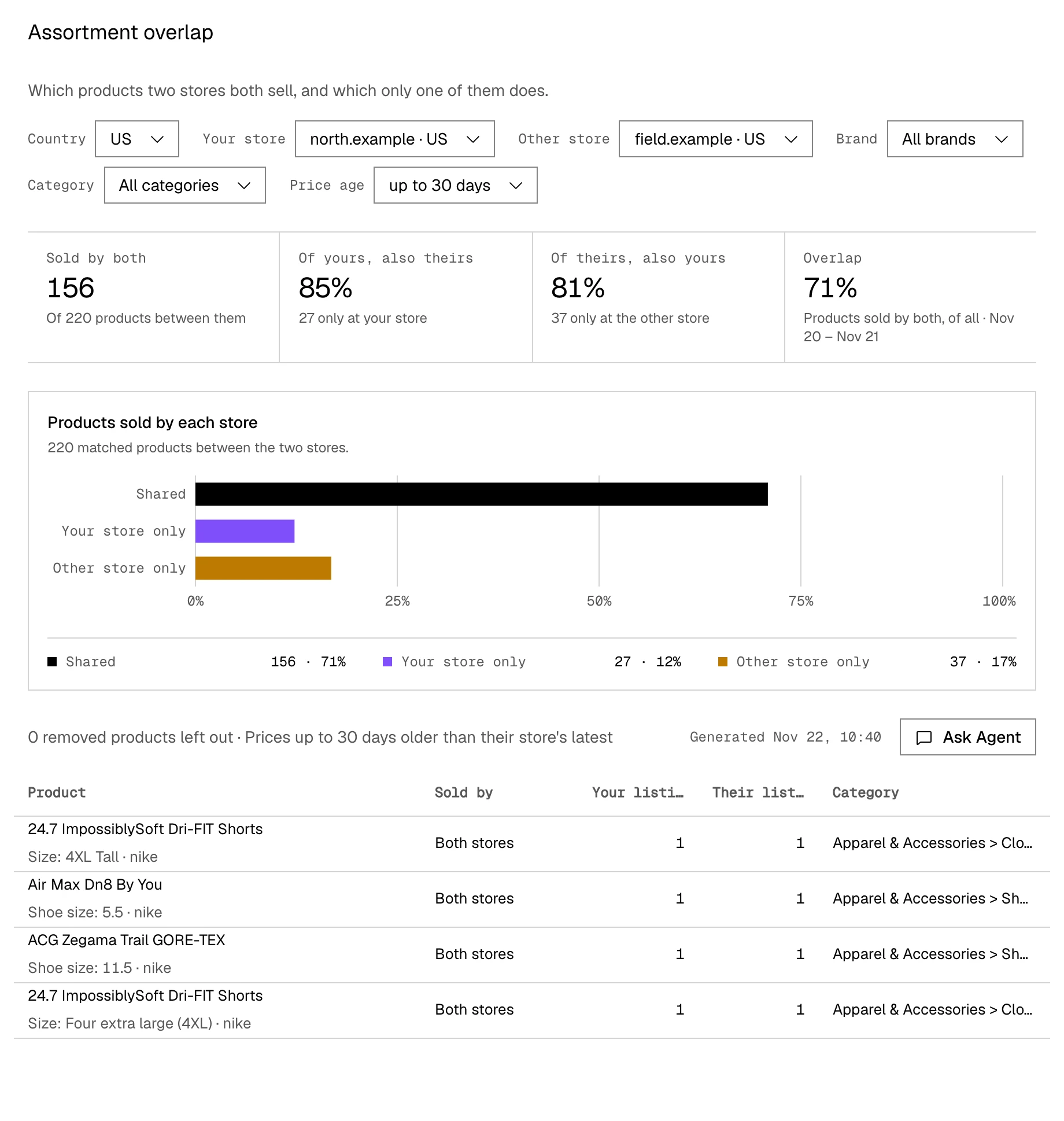
A product only one store sells is a gap within what you collect, not proof the other store lacks it: the comparison holds only the Variants matching assigned to both stores' pages, leaves out SKUs not matched yet and stale Listings, and counts what it left out.
3. Follow what each store adds and removes
Read each store on a schedule, as in
Monitor prices and stock:
a weekly Run of new products only, {"products": "new"}, finds what each store
added, and a Run of the products you already have, {"products": "known"},
finds the pages it removed.
Each product page first seen, removed or back is a Change of its Listing:
GET /v1/activity counts listings_added and listings_removed per Store
and per day, as Overview charts them. In the dashboard, Explore > Changes
with First seen or Removed lists them, product by product.
With your agent
Connect your agent through MCP and ask, for example:
- "Which products does field.example sell in the US that north.example doesn't? Group them by category."
- "What share of tempo.example's sneakers do we also sell?"
- "Which products did field.example add this week?"
The agent runs the same Assortment overlap and Changes as the dashboard and the API.