
Products
A Variant is one exact configuration of a Product, matched across your Stores. Its market in a country and currency is the price each Store offers for it: each Store counts once, with its lowest available offer, however many SKUs, Listings, or sellers it has for the Variant.
Dashboard
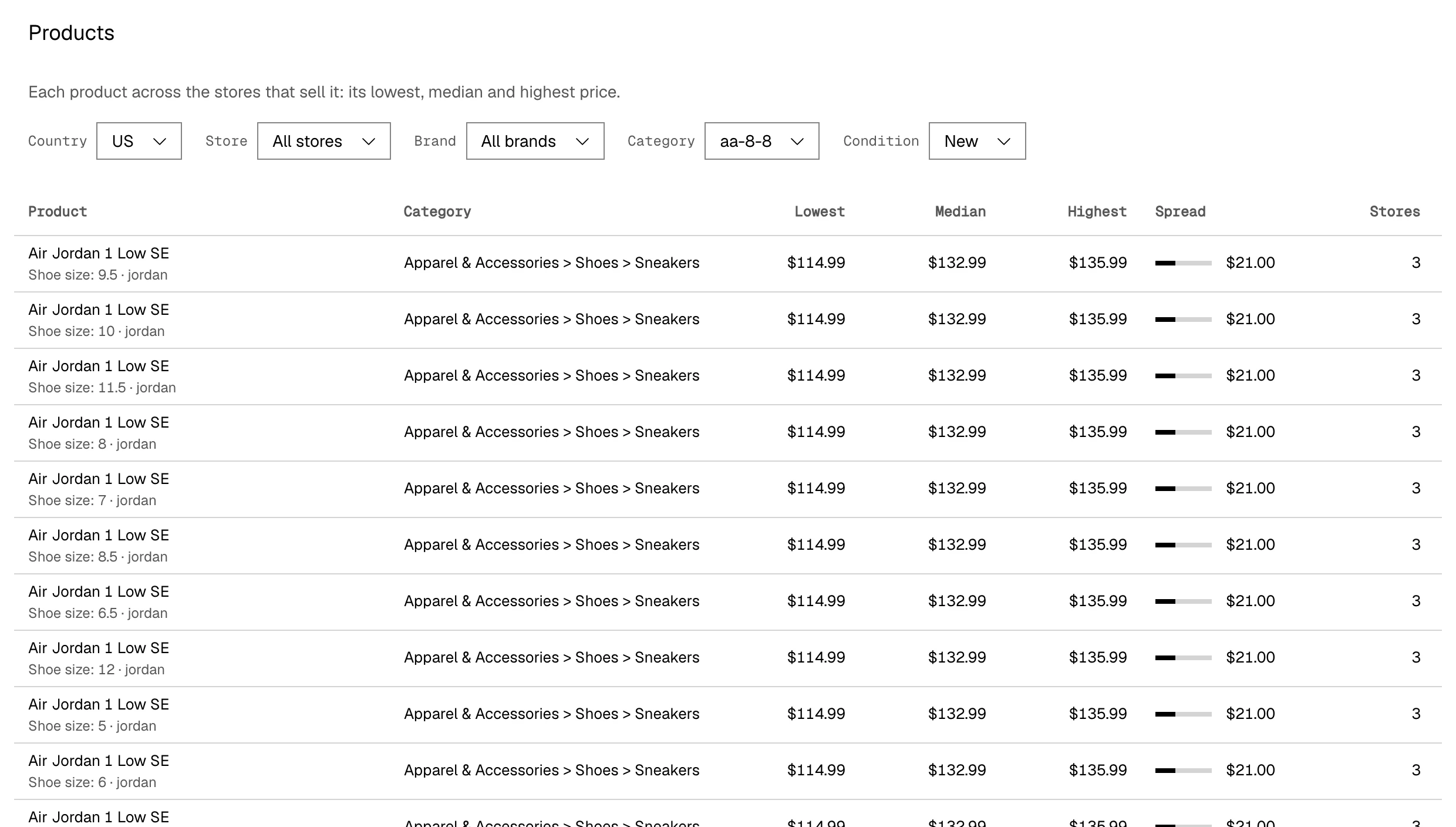
Explore > Products lists Variants with their market. Pick a Country, then a Brand or Category, or a Store to list the Variants it sells; Condition defaults to new. Each pick applies at once. Until you pick, the page starts from the country with the most offers and its largest category.
Each row is one Variant in one country and currency, with its Product title, options and brand, its Category, the Lowest, Median, and Highest of the Stores' prices, their Spread, the number of Stores with an available offer, and when it was last Collected. With a Store picked, the list keeps the Variants it has a current offer for, in stock or not, and their prices still come from every Store of the country. Select a row to open the Variant beside the list, and Open full page to open its own page.
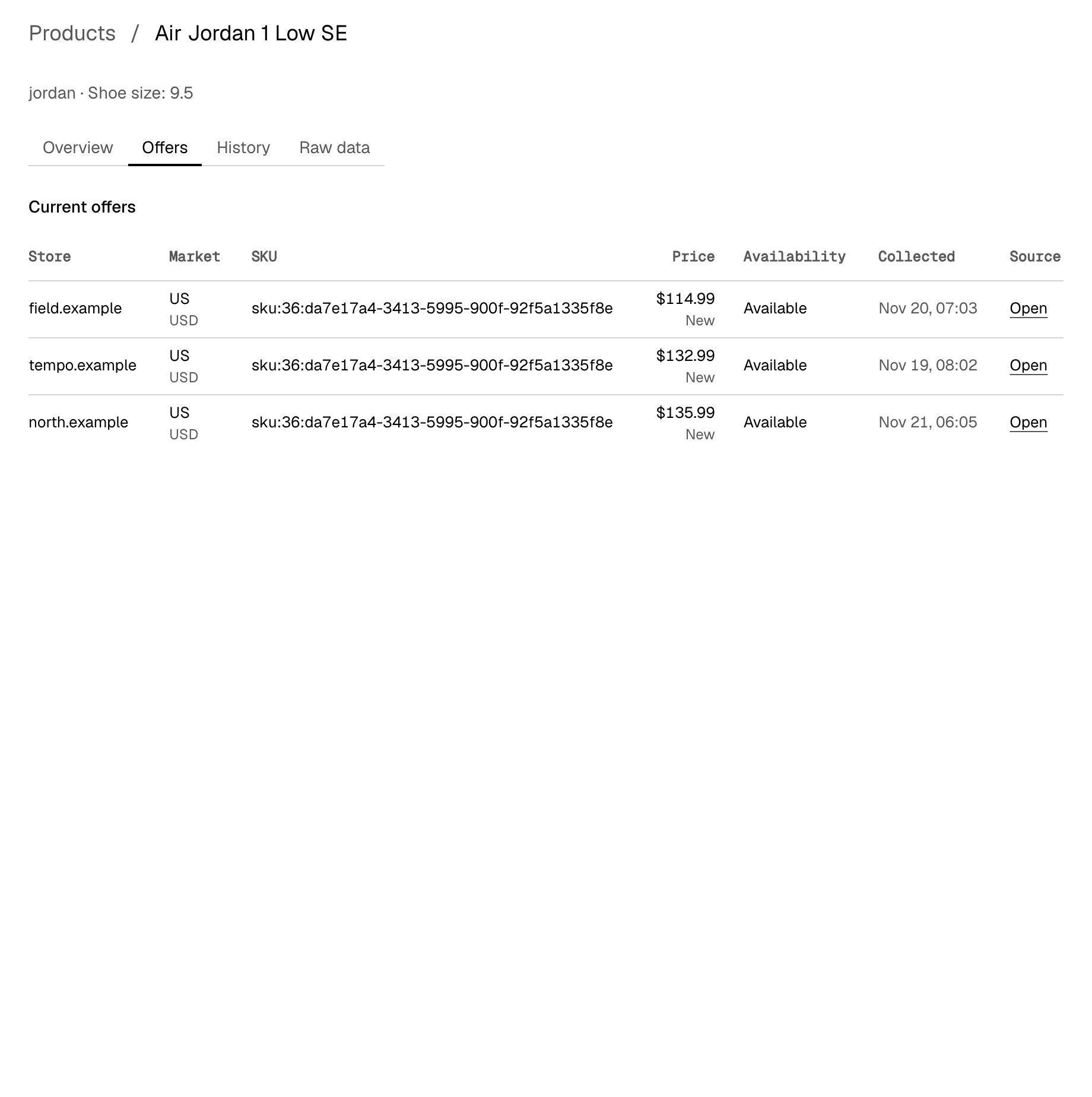
The Variant page has four tabs:
Analyses and Overview link to Variant pages too; a Variant page opened from an Analysis links back to it.
API
GET /v1/markets lists Variants with their market, in pages. Pass
variant_id, or country with at least one of category_id, brand, or
store_id.
Each row has the Variant's identity, category and options, its country,
currency and condition, lowest_price, median_price, highest_price,
price_spread, store_count, seller_count, available_offer_count,
current_offer_count, and latest_observed_at. The page's
unmatched_sku_count counts the SKUs in the country that are not matched to
a Variant yet, so are in no market; store_id, brand, and category_id do
not narrow it.
One Variant's evidence comes from four routes:
history and price-series require from, to (an exclusive end, at most
366 days after from), country, currency, and condition. listing_id
narrows them to the SKUs of one Listing that matching assigns to the
Variant. interval is daily by default, the state before each day closes,
or raw for the range start and every Change in it. history also takes
sort (observed_asc or observed_desc), limit (100 by default, at most
1,000), and cursor. A raw series longer than 20,000 points returns an error
rather than a truncated chart: shorten the range.
Each API route on this page is a GET that takes an
API key; the
API reference lists its parameters and fields, under
Markets, Variants, Search and Facets.
Search and filters
GET /v1/search finds the id of a Store, Product, Variant, or Listing. Pass
kind (store, product, variant, or listing) with search, a
case-insensitive title, host, option or source search of at most 128
characters, or id to resolve a saved id. variant_id limits Listing results
to one Variant. Results include removed entities, flagged removed, and stop
at 25, with has_more set when there are more: refine the search.
GET /v1/facets returns the values that exist in your data for each filter:
countries, stores, brands, categories, currencies, conditions, and
variants, each with its Variant and offer counts, most offers first. Pass
country, store_id, brand, category_id, currency, or condition to
narrow the others: each dimension applies every filter but its own. limit
caps each dimension at 50 by default and 100 at most; facets are suggestions,
not a pageable list.
In the dashboard, facets fill the Country, Store, Brand, Category, Currency and Condition pickers of Products and the Analyses, so each picker offers only values that exist with your other picks. Search fills the Store picker of Changes and the Listing picker of a Variant's History.