
Runs
A Run is one crawl of a Store whose crawler is ready: it reads the store's product pages and keeps each one it reads as a PDP, enriched as it is read. A scope says which products it reads, and a budget how many PDPs it may save at most. You start a Run from the dashboard, the API, MCP or the Agent, and a Schedule starts them on a cadence.
A Run is named after its Store and its number in the Store's sequence, such as
north.example-US_6.
Start a Run
Dashboard
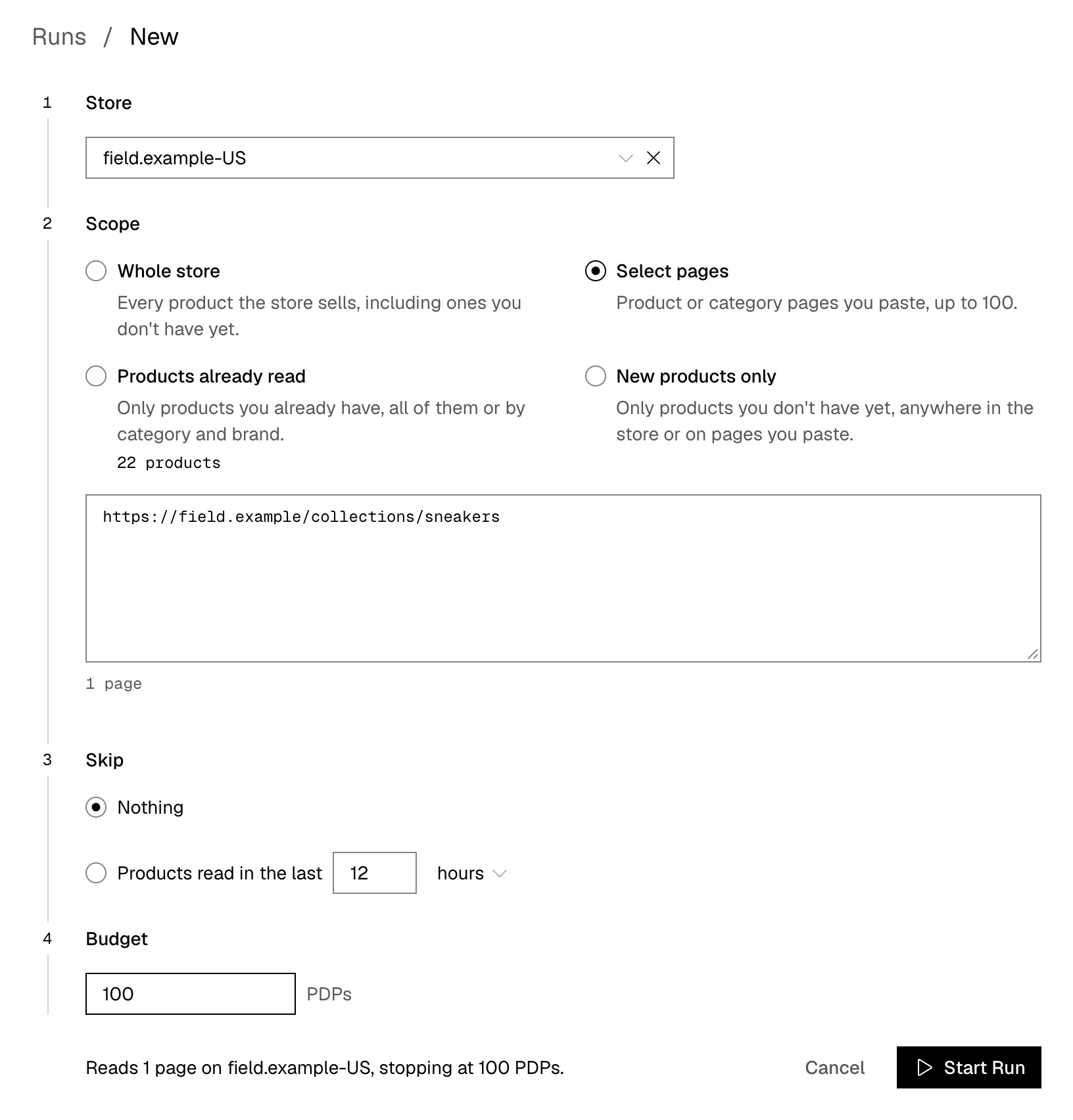
- Go to Extract > Runs and choose New, or choose New Run on a ready Store's page.
- Choose the Store. The picker lists your tracked Stores whose crawler is ready.
- Choose its Scope: Whole store, Select pages, Products already read or New products only. See Scope.
- Optionally Skip the products read in the last hours or days.
- Optionally set a Budget: the most PDPs the Run saves. Leave it empty to save every product in scope, as credits allow.
- Choose Start Run.
The form sums up what the Run will read before you start it, and the dashboard then opens the new Run's page.
API
The response is 202 Accepted with the new Run, pending.
Starting a Run needs at least 1 credit (402 otherwise). It is refused with
409, with a message that says why, when:
- the Store isn't ready: untracked, without a crawler, or with one still building or failed;
- a Run or an Import of the Store is in progress,
including one that is
materializing. A Store runs one at a time, on every plan, and nothing is queued: start the Run again once it has finished; - on Start, another Run of your organization is in progress.
Scope
A scope narrows the store: each field you give narrows it further, and {}
reads the whole store.
Two more fields narrow a scope:
filters, withproducts: "known"only, keeps the known productsinornot_inlists ofcategoriesandbrands, 1 to 100 values each. Categories are the names of a taxonomy vertical or second-level category, such asApparel & AccessoriesorShoes, with everything under them. Brands match case-insensitively.not_read_within_hours, 1 to 8784, skips the products your Runs read in that many hours before this one starts. Imports don't count. It doesn't combine withproducts: "new".
Every page must be a public HTTPS address on the Store's host, with or without
www.; another host is refused with 400. A page the Store's crawler doesn't
read is skipped, and a Run none of whose pages it reads fails.
A product first read costs 4 credits and every later read 1, so a recurring
Run of products: "known" costs about 1 credit per product. See
Credits and billing.
Follow a Run
Dashboard
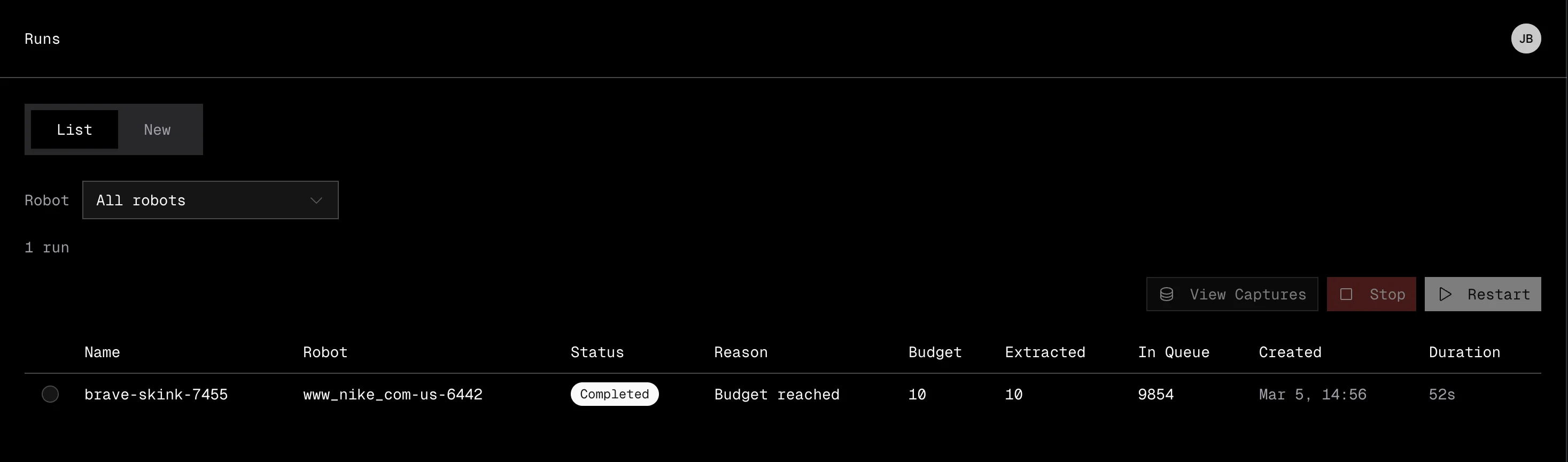
Extract > Runs lists every Run with its Status, Reason, PDPs (saved, out of its budget), Progress (the share saved, as ten squares), when it Started and its Duration. The All stores picker lists one Store's Runs.
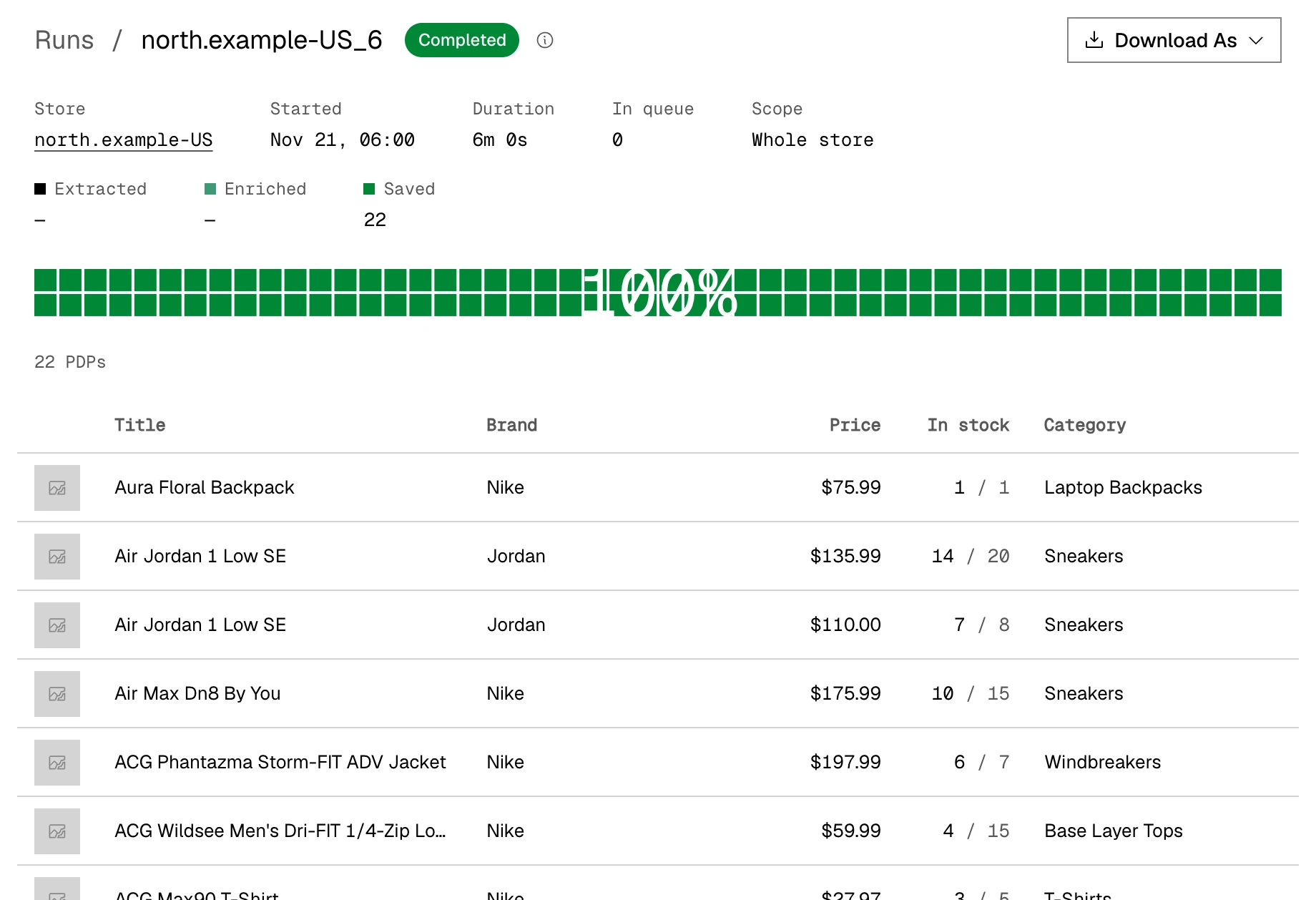
A Run's page shows its Store, when it Started, its Duration, the pages In queue and its Scope, then how many PDPs are Extracted, Enriched and Saved (out of its budget). Each square of the grid below is one percent of the budget, or, without one, of the pages found so far. Its PDPs are listed as they are saved; select one to open it.
The page offers one action, depending on the Run's status:
Restart opens a dialog with a New Crawl Budget, filled with the previous budget; leave it empty for no limit.
API
Read a Run until finished is true:
GET /v1/runs lists Runs, newest first, 100 per page by default and at most
100 (limit), paged with cursor. With finished_since, it lists only the
Runs that finished at or after that time, oldest finish first, which suits
syncing finished Runs; keep finished_since unchanged while you page. List
entries leave out scope and restartable_until.
To be notified when a Run ends instead of polling, subscribe a
webhook to run.completed, run.stopped and
run.failed.
Stop and restart
Stop an active Run with Stop, or:
Stop returns the Run. A Run that hasn't started crawling ends stopped at
once. Otherwise no new batch is saved from then on; a batch already being
saved lands and is charged. The stop shows at once as the reason Stopping,
and the Run stays running until that batch has landed and the analytics of
what it saved are complete. It then ends stopped; its PDPs stay saved. A
materializing Run has nothing left to stop.
Restart a stopped or failed Run within 30 days of its creation:
Restart returns 202 Accepted with the same Run, now restarting and no
longer finished. A restart keeps the Run's id, name and scope, and continues
where it ended: it first saves the pages it read but hadn't saved, then reads
the pages it still had to read, and never bills a saved page again. Its counts
keep adding up.
budgetcounts the Run's whole total: PDPs it already saved count against it. Omit it to keep the Run's budget. The dashboard's empty New Crawl Budget removes the limit; the API can't remove it.- Restarting needs at least 1 credit, and is refused with
409while another Run or an Import of the Store is in progress, or on Start while another Run of your organization is. - A Run that captured no product can't be restarted, since it would read the same pages again: check its scope and start a new Run.
Why a Run ends
status_reason says why a Run ended. The common reasons:
If a store's Runs start failing after it changes its site, see When a store changes.
Use the PDPs
A Run's page lists its PDPs as they are saved. Download As exports them as
Parquet or JSONL (plain JSON Lines, one PDP per line), for completed
Runs and failed Runs that saved PDPs. GET /v1/pdps/export exports any Run's
saved PDPs from the API, while it runs too. To browse PDPs across Runs and
Imports, go to Extract > PDPs.
See PDPs for their fields and every export option, and Changes for what a Run found had changed since the Store's last read.